10
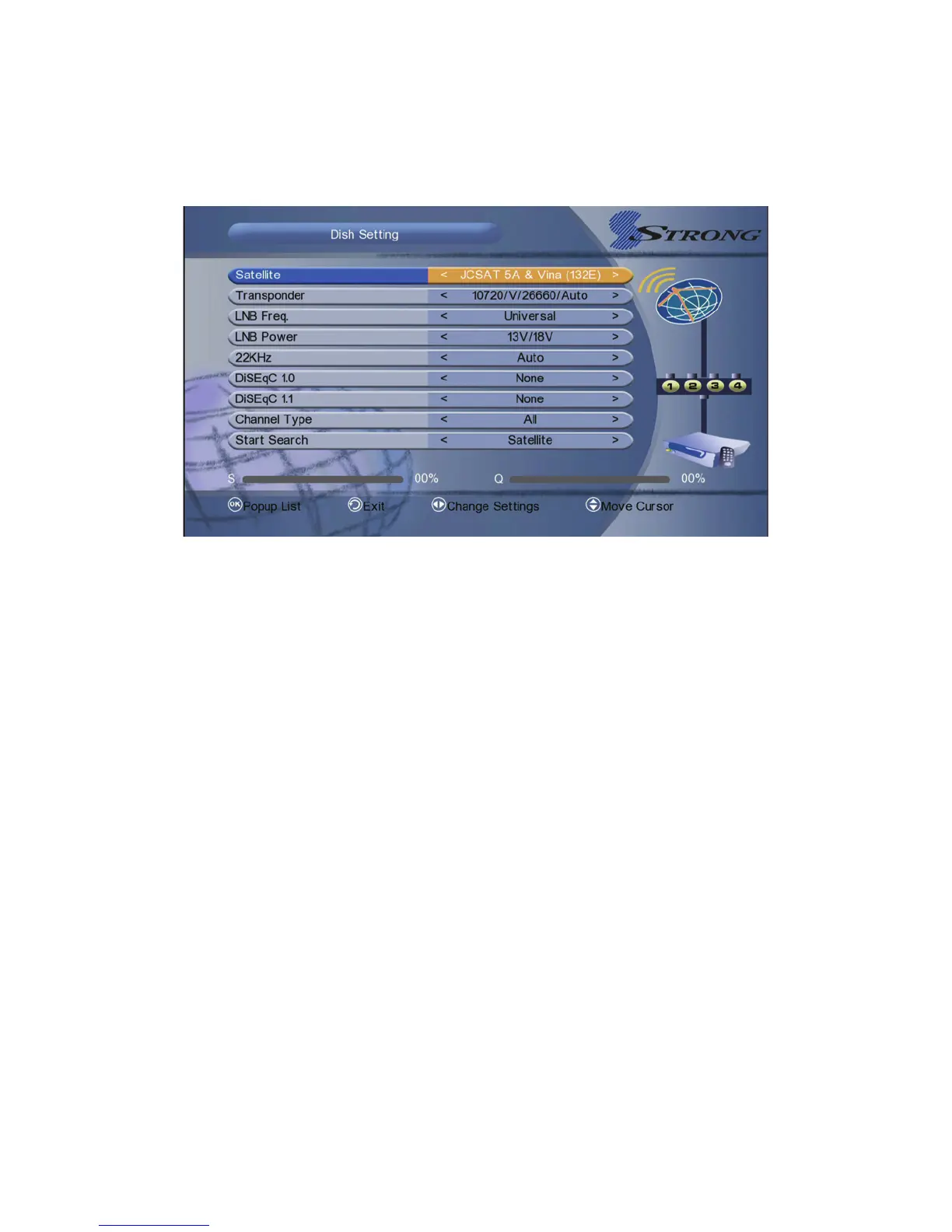
4.1 Dish Setting
Dish Setting allows you to configure the antenna setting parameters.
1. Satellite: Select the satellite which you want to setup.
2. Transponder: press OK button into TP list then press CH+/CH- button to
change the TP, then press CH+/CH- button to Add/Delete/Edit TP.
3. LNB Freq: Press the VOL+/- button to change the LNB frequency.
4. LNB Power: Select the required LNB power.
5. 22KHz: It used to control the 22 KHz switch (On for open, Off to Off, or Auto
for automatic Settings 22 KHz).
6. DiSEqC 1.0: It used to set DiSEqC1.0 port ,press the VOL+/VOL- button to
select the required.
7. DiSEqC 1.1: Press the VOL+/VOL- button to select the required DiSEqC1.1
input.
8. Channel Type



 To Next Page