6
Signal Indicator(Green).
6. DISPLAY
The LED display channel information. In standby mode it displays
local time.
7.USB2.0
One USB 2.0 Host Port.
8.CA
CA card’s slot.
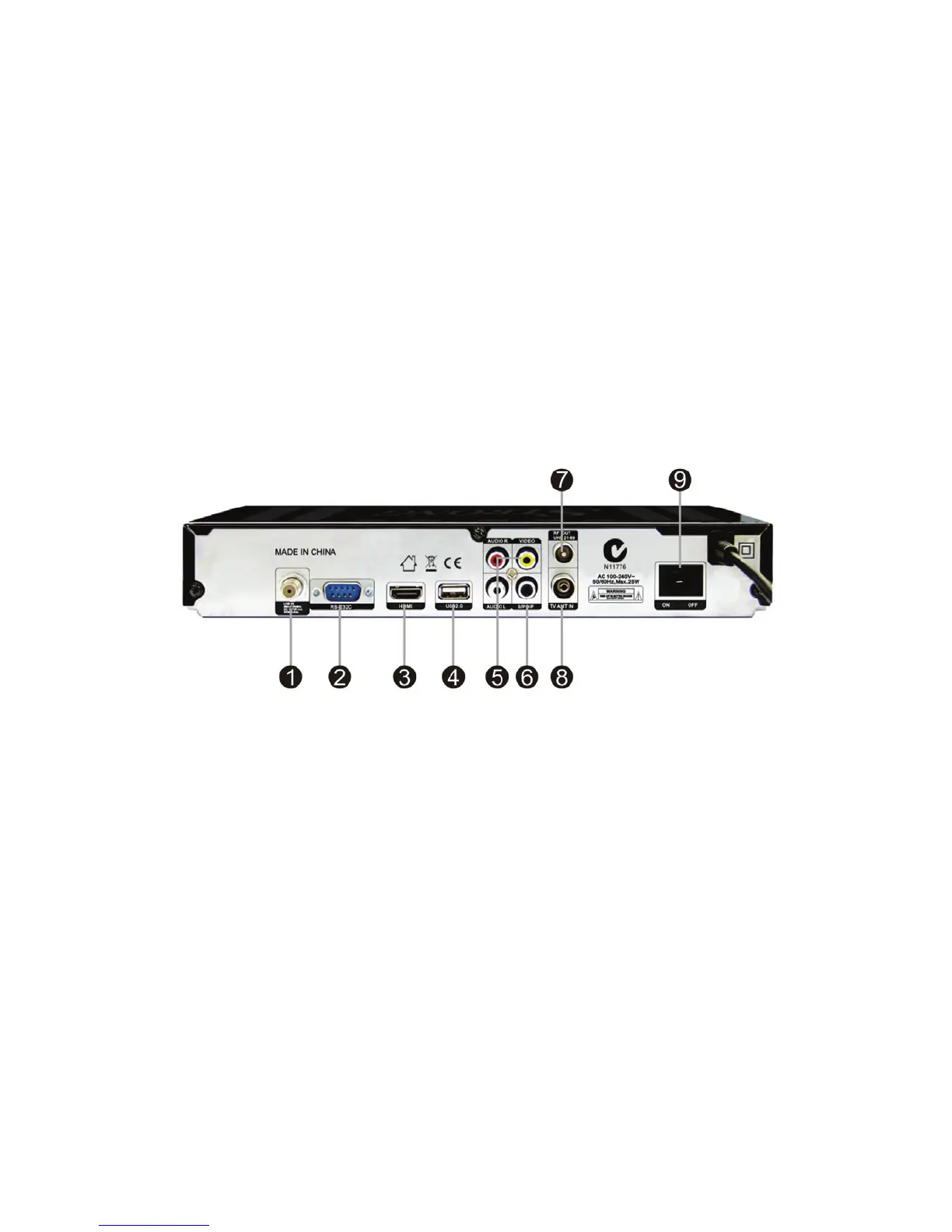
2.2 Rear Panel
1. LNB IN
Connect the Satellite Dish LNB.
2. RS232-C
Connect to the computer using a serial line.
3. HDMI
Connect to the TV using an HDMI cable.
4.USB2.0
One USB 2.0 Host Port.
5.AUDIO/ VIDEO
Connect to the TV using an RCA cable.
6. SPDIF
Digital Audio output (COAXIAL).



 To Next Page