20
Press the GREEN button to setup a timer, press the RED button will delete this
timer and press the YELLOW button can go to edit this timer.
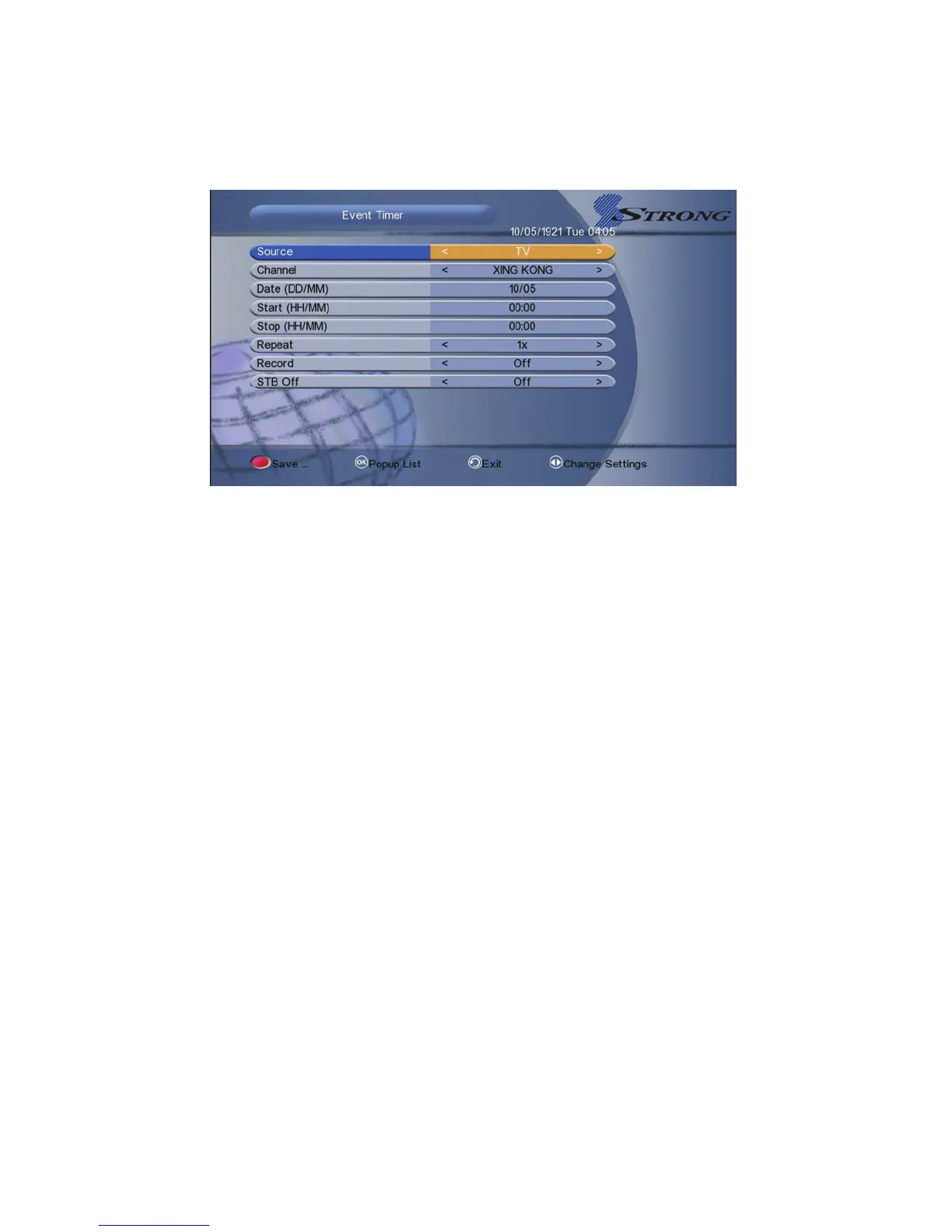
1. Source: Switch TV and radio.
2. Channel: Press the VOL+/- button to display the channel list and press the
OK button to select the channel.
3. Date: Input the date of the timer.
4. Start: Input the start time of the timer.
5. Stop: Input the stop time of the timer.
6. Repeat: Select the repeat times of the timer. (one time/every day/one
week/from Monday to Friday/from Saturday to Sunday)
7. Record: To set if you want to record the timer.
8. STB Off: Set ON, the receiver will go to standby mode after the timer, set
OFF it won’t be standby.
5.6.3 Sleep Timer
SLEEP Timer can set the automatic turn off time.
1. Go to Menu->System Setting->Timer Adjust->Sleep Timer or press the
SLEEP button directly.
2. Press the VOL+/- button to select the option or input the number at “-- Min”
option.
3. Press the OK button to save.



 To Next Page