11
A: High Definition Multimedia Interface
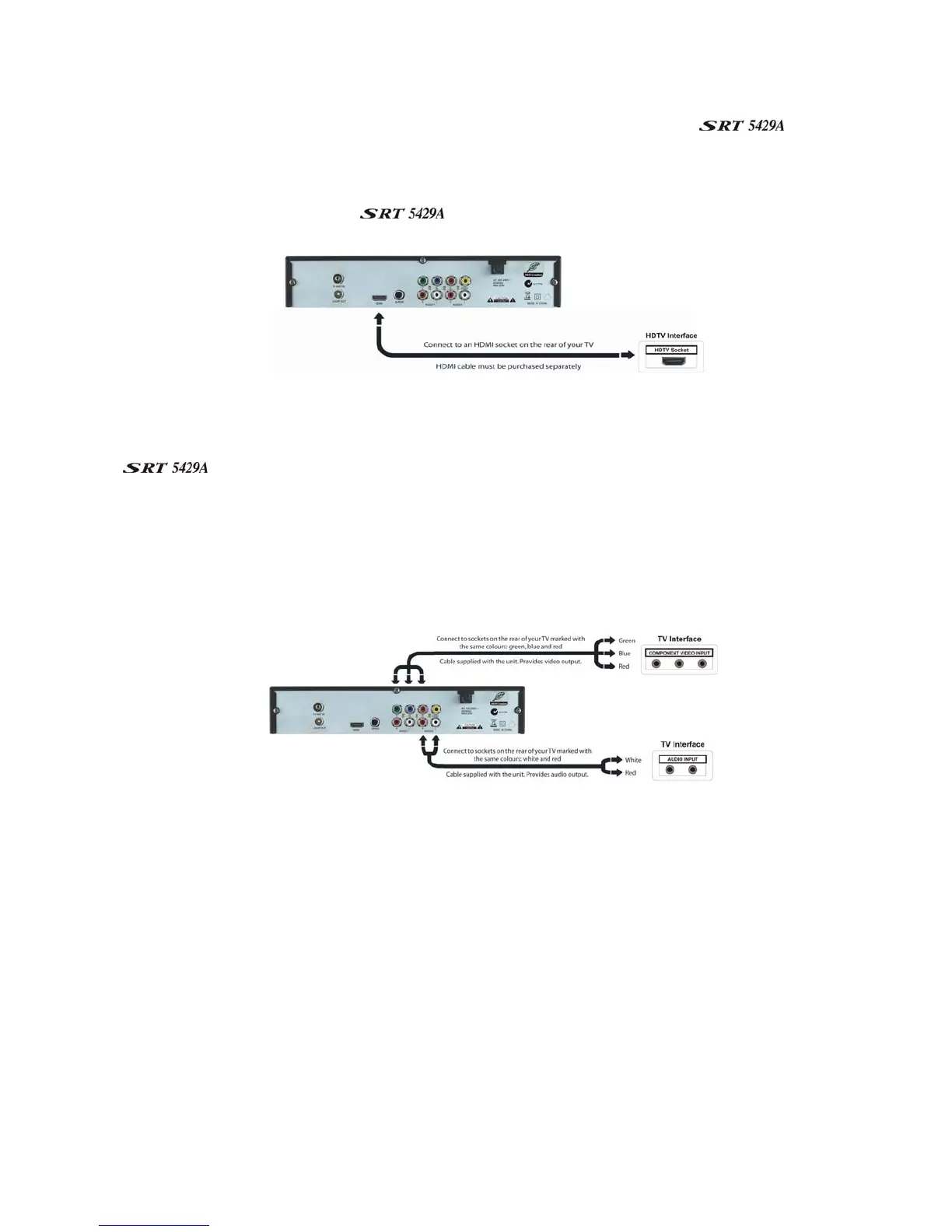
If your TV has an HDMI socket, connect an HDMI cable between the HDMI socket on the
(socket 2) and the HDMI socket on your TV.
A HDMI connection incorporates video and audio. You do not need to make separate connections for audio.
A HDMI cable is not provided with the
.
B: Y/Pb/Pr (Component) using a RCA blue–red–green cable
For Component video, connect to your TV with a Y/Pb/Pr Component cable (with blue, red and green leads,
note component cable is not supplied). Connect the leads between the Y, Pb and Pr sockets on the
(socket group 6, taking care to match the colour of a lead with the colour of the socket), and the
corresponding Component sockets on your TV. (The Component sockets on the TV have the same colour-
coding.)
You will need to make separate connections for left and right audio via the audio sockets in socket group 4.
This can be done using the supplied RCA cable. (Match the colour of the plugs with the colour of the
sockets.)



 To Next Page