29
Note that some of these settings are restricted by the type of connection you have made between the
and your TV. For example:
• If you have connected the
to a Dolby Digital decoder amplifier, the S/PDIF output
setting must be set to AC3.
4. Select an option you want to change. If necessary, press or
until the option is highlighted.
5. With the option you want to change highlighted, press
or
to step through the allowable values
(shown in the panel at the right of the screen). Stop when the value you want is displayed.
6. If there is another option you want to change, repeat this procedure from step 4.
7. When you have finished, press EXIT to save and return previous menu.
Parental control
The
is shipped with a default personal identification number (PIN). The default PIN is 000000.
The PIN is required if you have enabled the parental lock. To change the PIN:
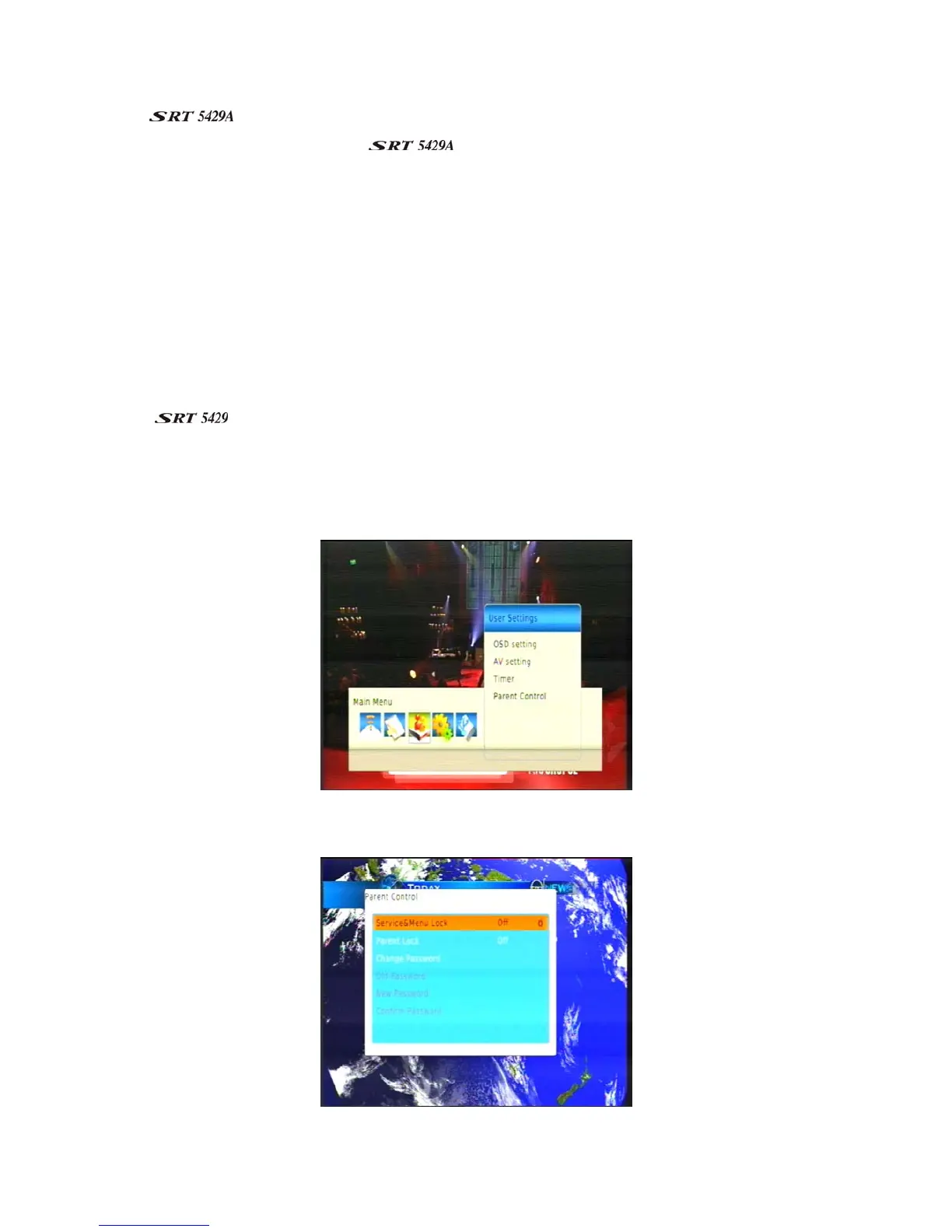
1. Press MENU on the remote control. The Main Menu appears.
2. If User Settings is not highlighted in the main menu, press
or
until it is and then press OK. The
User Settings menu appears.
3. If Parent Control is not highlighted, press or
until it is and then press OK & Input Password. The
Parent Control menu appears.



 To Next Page