26
Manual Searching
NOTE: Automatic searching (described above) is suitable in most cases. You might use manual
searching if you have deleted a channel and now want to access it again. In this case, you would
just search for that particular channel.
1. Press MENU on the remote control.
2. If Installation is not highlighted on the main menu, press
or
until it is and then press OK.
The Installation sub-menu appears.
3. If Manual Search is not highlighted on the sub-menu, press
CH or CH
until it is and then press OK.
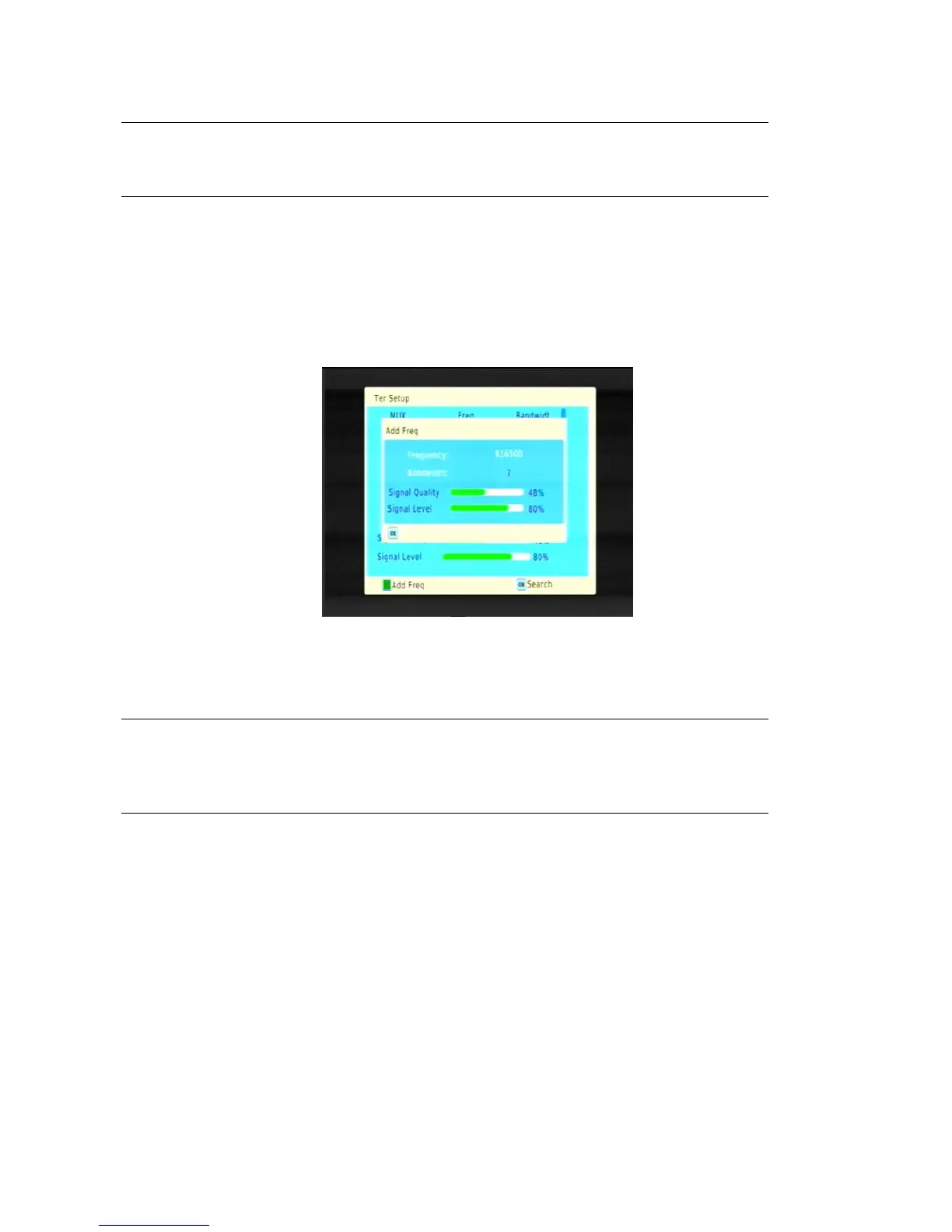
The Manual Search window appears.
5. Press or
to select the Frequency what you wish to search.
6. Press AUDIO button (the green button) to add the Frequency what you wish to add .
TIP: To avoid a fruitless search, check the strength and quality of the signal beforehand. These
are shown by the Level and Quality bars at the bottom of the screen. Poor strength or quality
indicates that it may be difficult to scan for that channel or that the reception might be too poor
for you to comfortably watch the channel.
4. Press OK to begin scanning. When the search is finished, the channel will begin playing if it has been
found; otherwise the previous channel will reappear.



 To Next Page