31
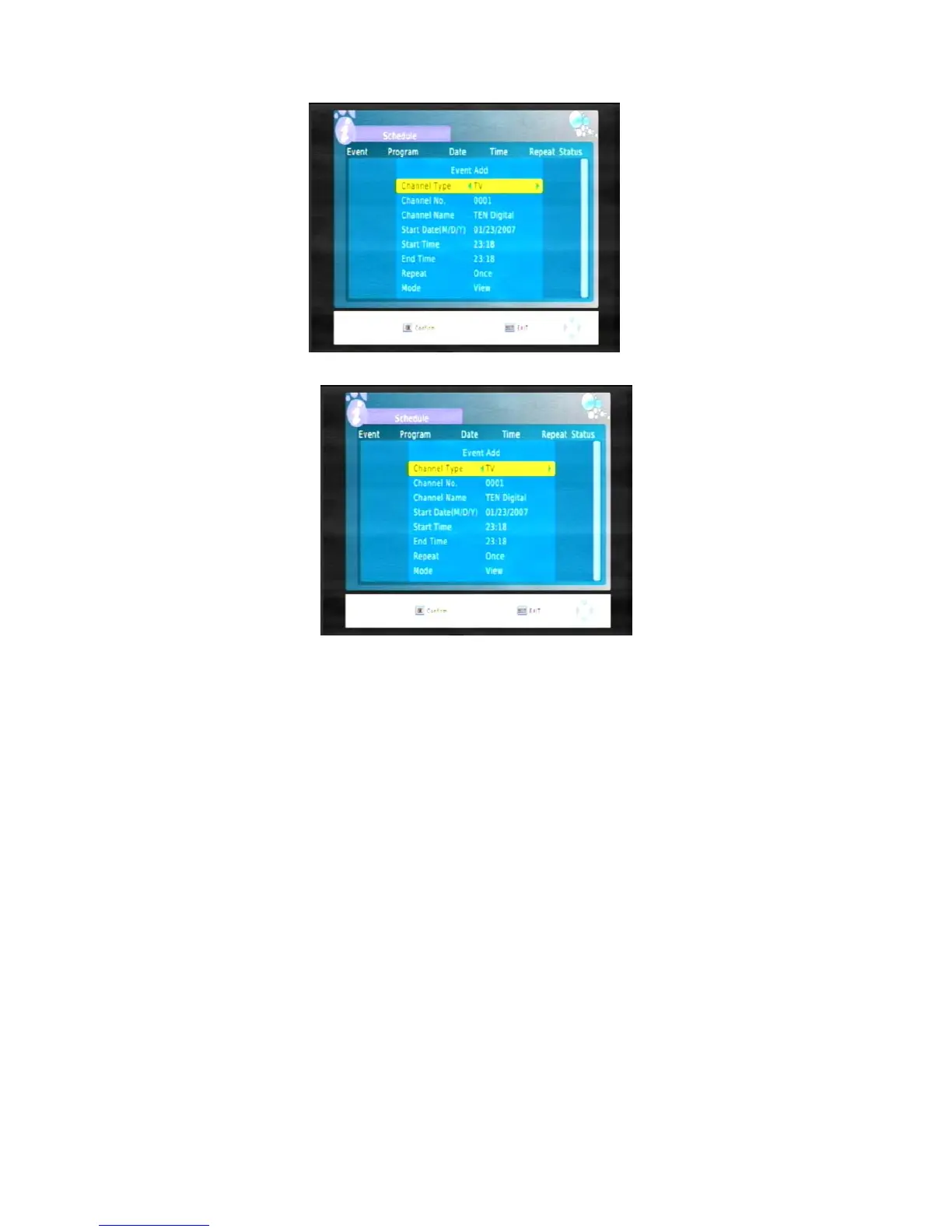
4. Press SUB key ( the red button) to add a timer you want to.The Event Add screen appears.
5, All the timer options should now be available to you (see below). Press
CH or CH
to activate to
select a timer you want to set.You can Edit and Delete the timer.
6,If you have selected a timer that has already been set and want to edit it, press the AUDIO key(the
green button) to edit the timer.
7, If you have selected a timer that has already been set and want to cancel it, press Timer key(the blue
button) to delete the timer.
8,All the timer options should now be available to you (see below). Press
CH to select the Channel Type
option. Press
VOL
or
VOL
to set channel type . You can set channel type to TV or Radio.
9, Press
CH to select the Channel No.option. Press VOL
or
VOL
to select the channel you want
displayed.
10, Press
CH to select the Start Date,Start Time or End time options. Use the number keys on the
remote control to enter the time you what the
to turn on or turn off .
Note that times must be entered using the 24-hour clock format. For example, 8 o’clock in the
morning is entered as 0800, while 8 o’clock in the evening is entered as 2000.
11, Press
CH to select the Repeat option.You can set the timer to Once, Daily or Weekly. Press VOL
or
VOL
until the timer service option you want is displayed.
12, Press
CH to select the Mode option.You can set the timer to View or Record. Press VOL
or
VOL
until the timer service option you want is displayed.



 To Next Page