13
S
5. Operation
5.1 Overview
1. Attach the sterilizable handle covers
2. Turn on and adjust the intensity of the lights
3. Position the lights
4. When nished, turn o lights and remove sterilizable handle covers
5. Clean and sterilize
5.2 Attaching the Sterilizable Handle Covers
Warning
Before each and every use, check each sterilizable handle cover and sterilizable camera cover for
damage. Damage includes cracks, chips, holes, tears, or anything else that might interfere with
the integrity of the sterilizable handle cover or sterilizable camera cover. Replace the cover, if
damage is detected.
Warning
Do not touch the weighted light handle or the camera when attaching the sterilizable handle
cover. The weighted light handle and the camera are not sterile.
5.2.1 Sterilizable Handle Cover
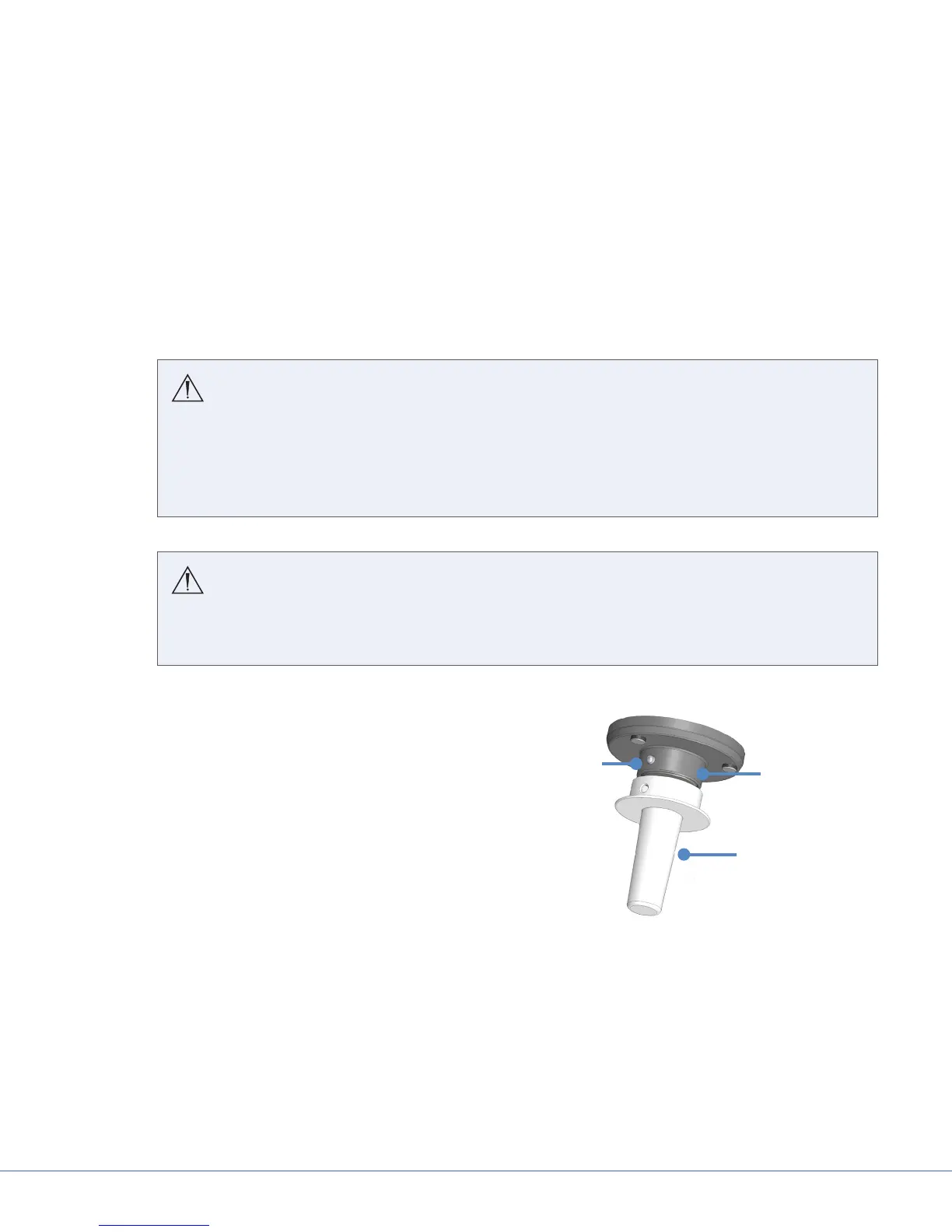
Attach
1. Align the hole of the sterilizable handle cover
with the release button on the weighted light
handle.
2. Slide the sterilizable handle cover to the base
of the weighted light handle until the release
button clicks into place. If not aligned, twist the
sterilizable handle cover to align its hole with
the release button. Once the release button
clicks into place, the sterilizable handle cover is
secure.
Remove (when nished)
1. Press the release button at the base of the
sterilizable handle cover.
2. Slide the sterilizable handle cover over the
release button to remove it from the weighted
light handle.
Weighted Light
Handle
Release
Button
Sterilizable
Handle Cover
Sterilizable Handle Cover











 To Next Page