EasyManua.ls Logo

Stryker X8000 - Motor

Stryker X8000
71 pages
Print Icon
To Next Page IconTo Next Page
To Previous Page IconTo Previous Page
Loading...
51
12.0 Motor
S
e
q
.
T
a
s
k
D
e
s
c
r
i
p
t
i
o
n
F
i
g
u
r
e
T
o
o
l
s
N
e
e
d
e
d
P
a
r
t
s
1210
Remove Chassis Cover
from Chassis (procedure
1.0). Remove the Bulb
Assembly.
1220
Remove Shutter (procedure
10.0, seq 1070 - 1080).
1230
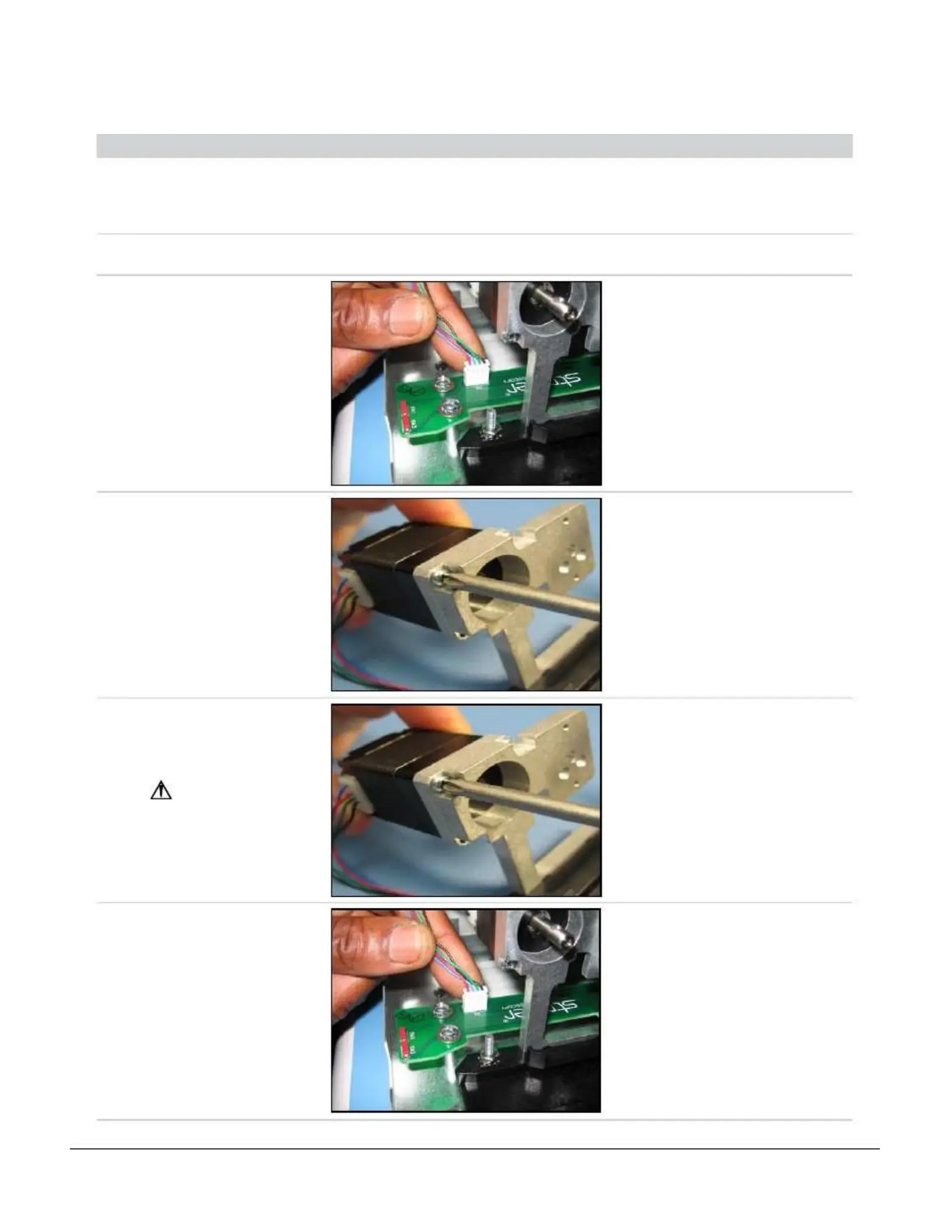
Unplug Stepper Motor
connector from Bulb
Mount Board connector J2
as shown.
•
X8000
Stepper
Motor (341)
• X8000
Horizontal
Bulb Mount
Board
Assembly
(279)
1240
Unscrew Stepper Motor
from Motor Mount.
• Power
Screwdriver
(Phillips)
•
M2.5
x
8
mm
PH Head
Screw (4)
(071)
•
X8000
Stepper
Motor (341)
•
X8000
Motor
Mount (339)
1250
Get new Stepper Motor.
Screw in new Stepper
Motor to Motor Mount.
Make sure
the Motor
wire pointed
towards
outside of Chassis.
• Power
Screwdriver
(Phillips)
•
M2.5
x
8
mm
PH Head
Screw (4)
(071)
•
X8000
Stepper
Motor (341)
•
X8000
Motor
Mount (339)
1260
Plug Stepper Motor
connector into Bulb
Mount
Board connector J2 as
shown.
•
X8000
Stepper
Motor (341)
• X8000
Horizontal
Bulb Mount
Board
Assembly
(279)