Instruments and controls/Multi function display
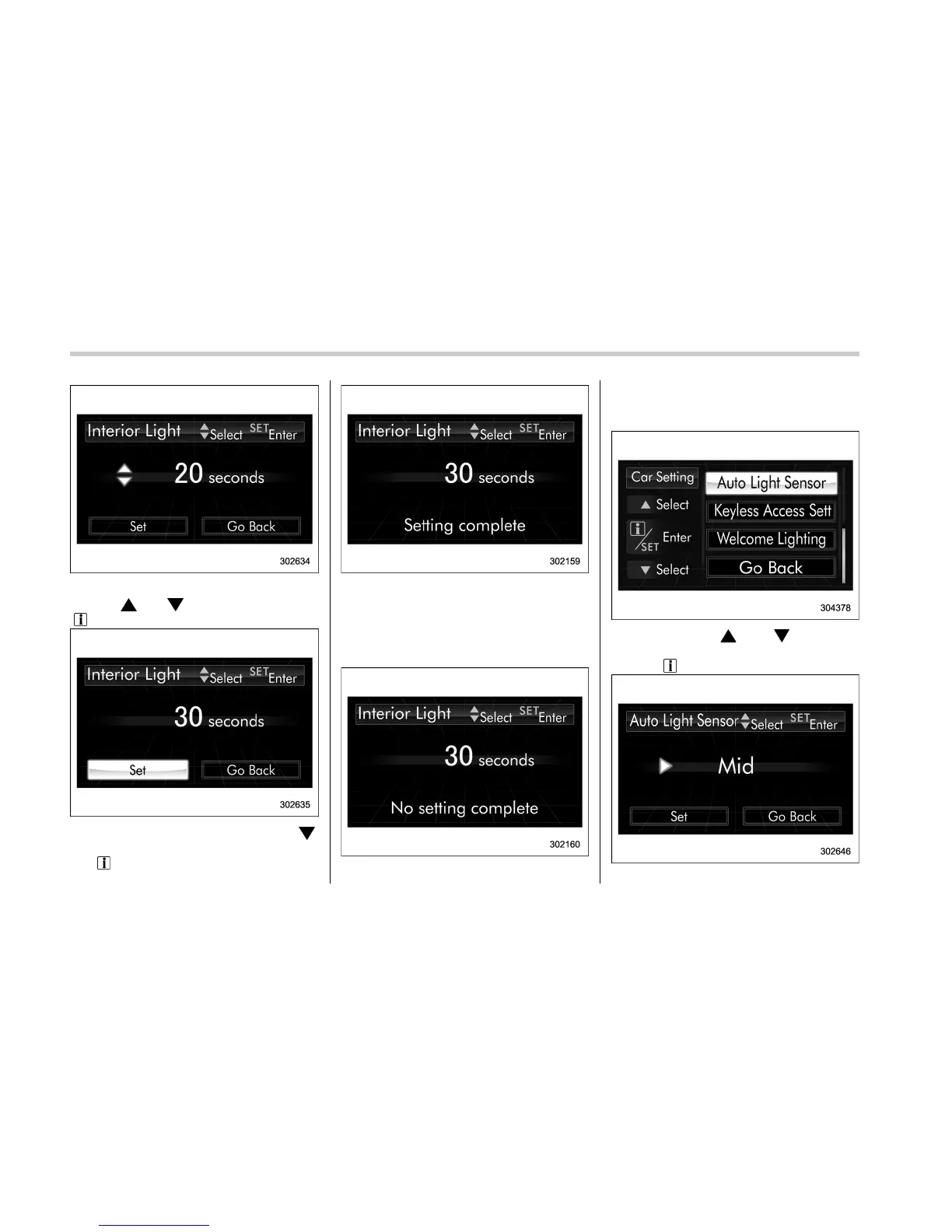
4. Select the preferred setting by operat-
ing the “
” or “ ” switch. Then pull the
“
/SET” switch toward you.
5. Select “ Set” by operating the “ ”
switch, and confirm the setting by pulling
the “
/SET” switch toward you.
6. The system will notify you that the
setting is complete.
If the setting is not available, the following
notification will be displayed. In this case,
perform the setting procedure again.
! Auto light sensor sensitivity setting
1. Perform the preparation steps accord-
ing to “Preparation for car settings” F3-72.
2. Operate the “ ” or “ ” switch to
select the “Auto Light Sensor” item. Then
pull the “
/SET” switch toward you.
3-76















 To Next Page