Audio/Radio operation
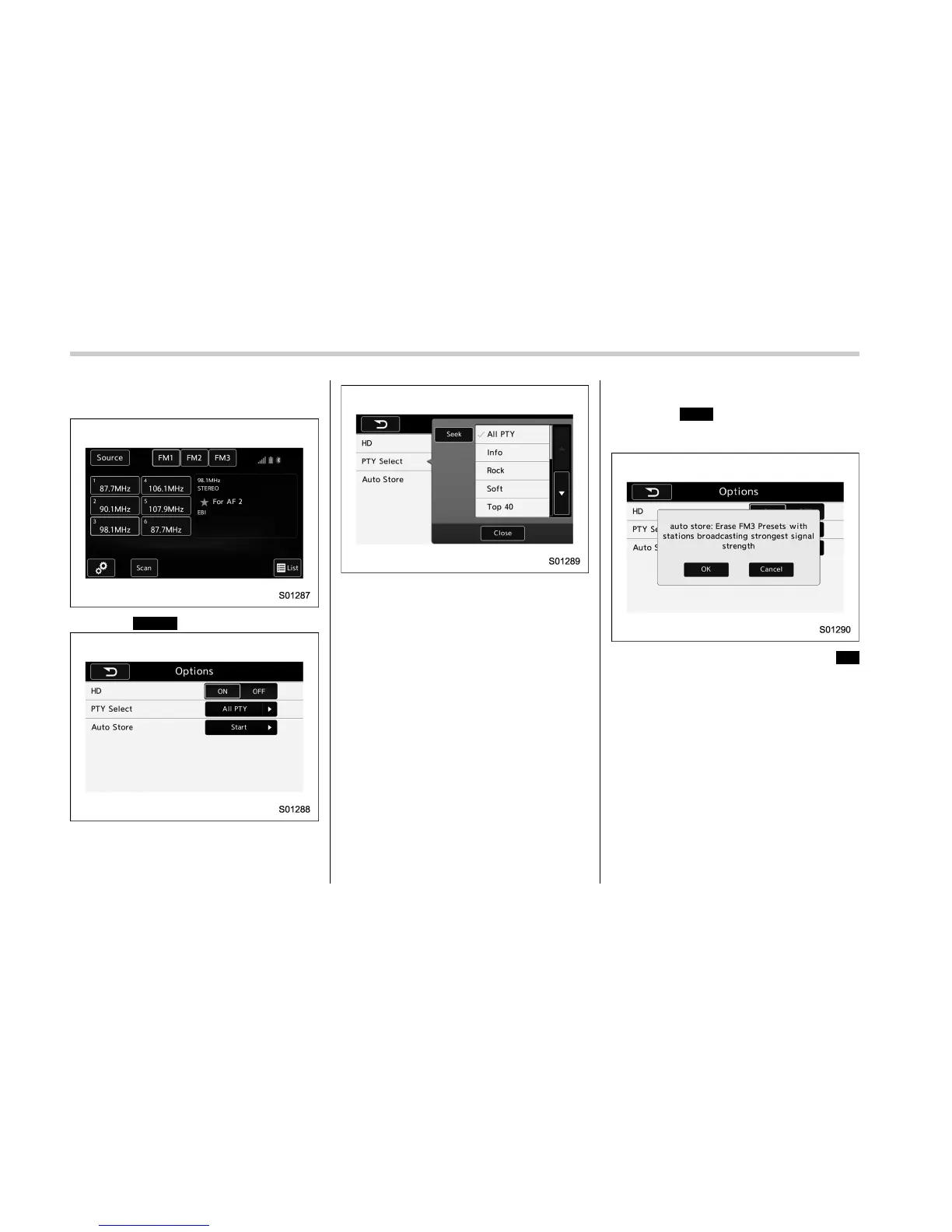
! Selecting a desired program type
list
1. Select
Option
(Option).
2. FM radio only: Select a desired pro-
gram type list of station and select a
desired station.
3. The program type list is in the following
order:
. All PTY (All program type)
. Info
. Rock
. Soft
. Top 40
. Country
. Oldies
. Jazz
. Classical
. R & B (Rhythm and Blues)
. Religious
. Misc
. Weather
! Selecting a desired auto store
1. Select
Start
(Start) on the option
screen and the following screen will be
displayed.
2. If you press a key for less than
OK
(OK), this function enables searching for
receivable stations automatically, and pre-
set of 6 stations whose signal strength is
best, sorted by frequencies.
5-38















 To Next Page