Audio/Phone operation (Hands–free system for cellular phones)
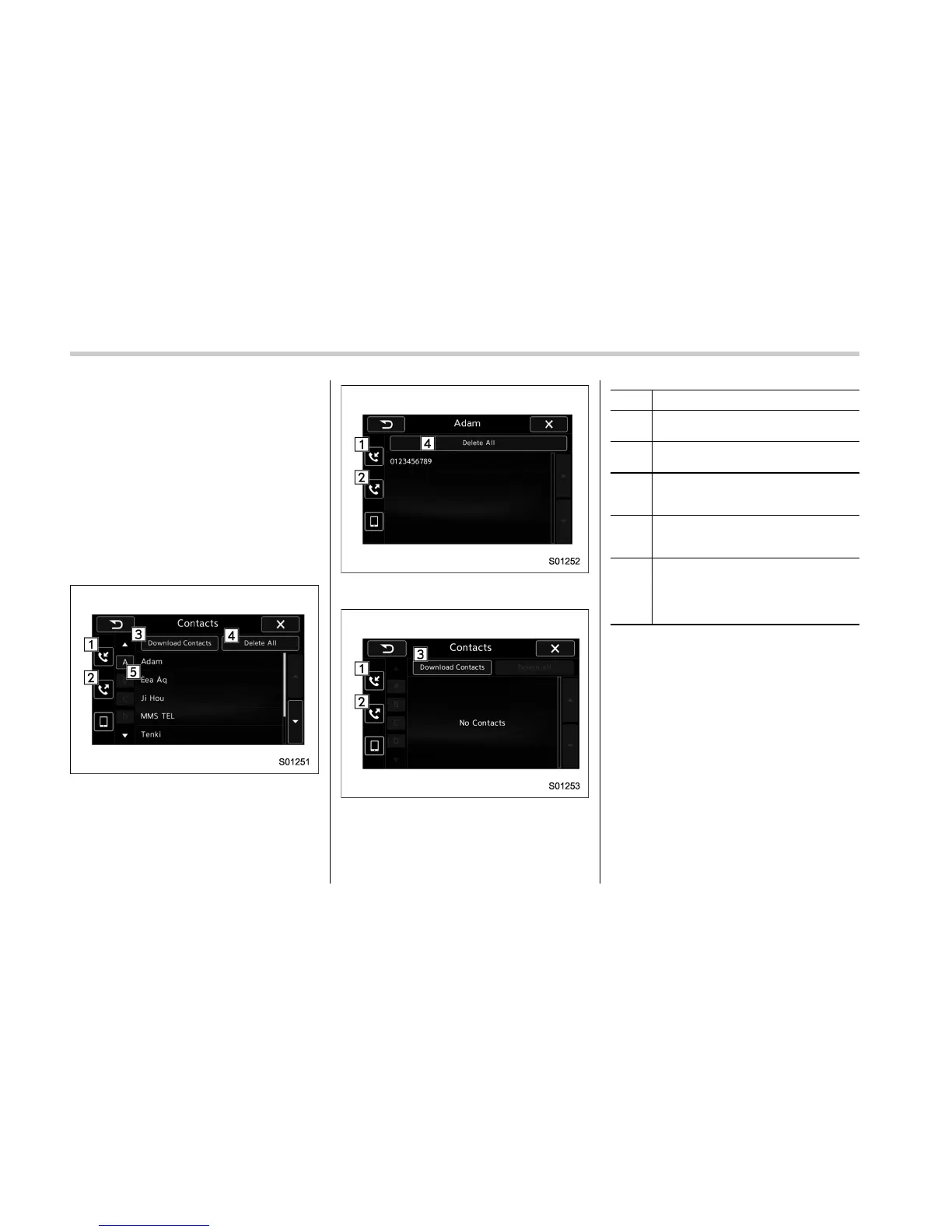
! By contacts list
. Up to 1000 items in the contact data
are listed. Scroll the screen to see items
that are not on the screen.
. Select an item in the contact list to
open the Phone Number List screen.
. You can make a call by selecting an
item in the phone number list (up to five
phone numbers are listed).
. If there is no contact data, a message
is displayed to indicate that there is no
contact data.
Contacts screen
Phone Number List screen (Example when
“Adam” is selected)
Contacts screen (When there is no data)
No. Function
&
1
“Incoming Calls” key: Opens the
Incoming Calls screen.
&
2
“Outgoing Calls” key: Opens the Out-
going Calls screen.
&
3
“Download Contacts” key: Opens a
pop-up screen for starting the down-
load of contact data.
&
4
“Delete All” key: Deletes all contact
data. The “Delete All” key is disabled
when there is no contact data.
&
5
“Search” key: Opens a list of contacts
that starts with the selected character.
This key is cross-hatched and cannot
be selected if there is no contact data
that starts with the selected character,
Select the up/down arrow key to scroll the
“Search” key.
! When the contact is empty
For PBAP incompatible but OPP com-
patible Bluetooth phones
. On the Contacts screen, select “Down-
load Contacts”. A screen where you can
select how to download contacts opens.
. You can select to download all items or
download one item.
*: To download all items, you may need to
change the settings in your cellular phone
beforehand.
5-94















 To Next Page