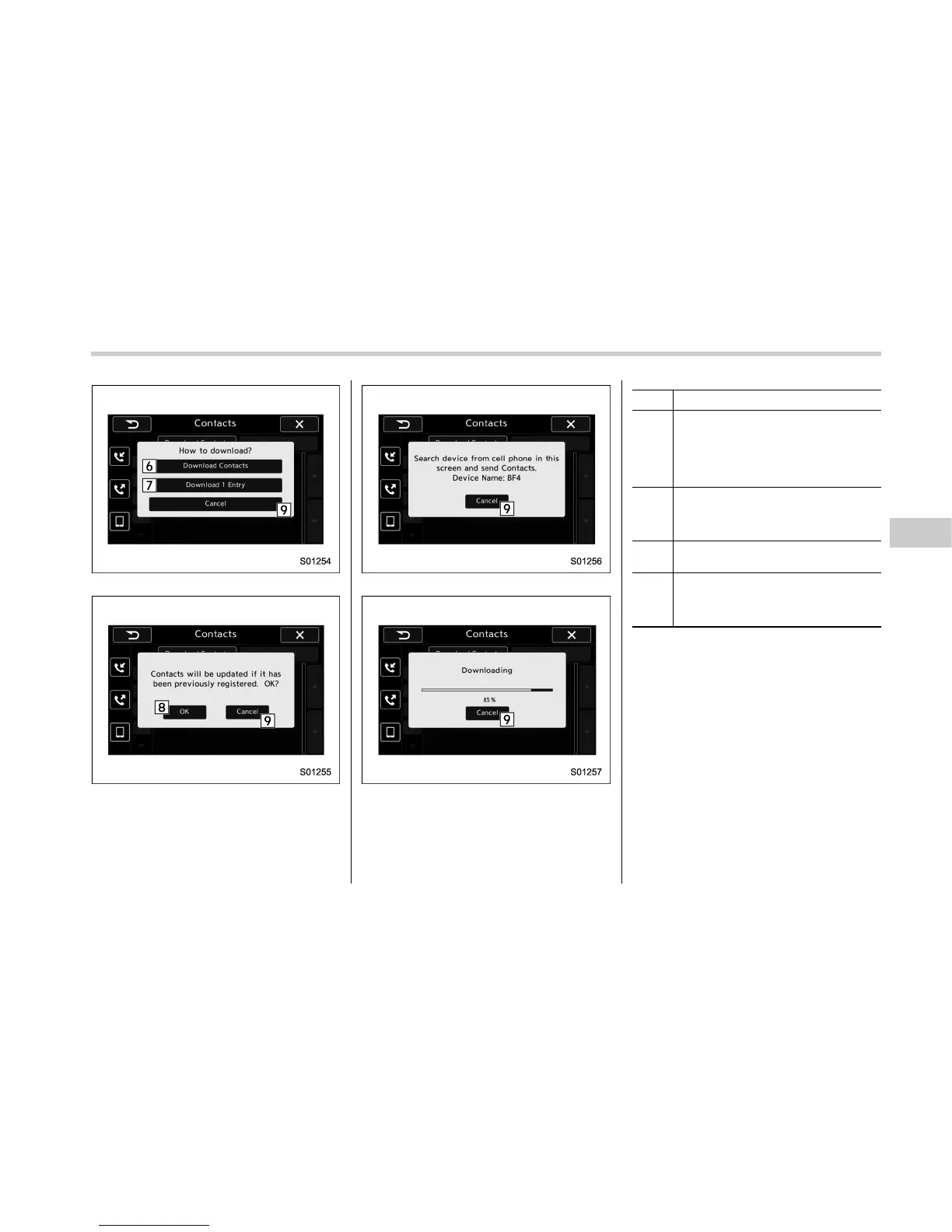
Contacts screen (Download selection)
Contacts screen (Download confirmation)
Contacts screen (Download confirmation)
Contacts screen (Download in progress)
No. Function
&
6
“Download Contacts” key: Opens the
Download Confirmation screen. Con-
firm whether or not to download. If the
downloaded contact(s) already
exist(s), confirm whether or not to
overwrite the existing data.
&
7
“Download 1 Entry” key: Downloads
one set of contact data. To download
the data, you need to operate from the
connected device.
&
8
“OK” key: Starts downloading all
contacts.
&
9
“Cancel” key: Cancels the download.
The screen returns to the Contacts
screen. (The pop-up screen disap-
pears.)
. All contact data downloaded into the in-
vehicle equipment will be deleted.
Audio/Phone operation (Hands–free system for cellular phones)
– CONTINUED –
5-95















 To Next Page