Black plate (157,1)
一般Model "A8140GE-A" EDITED: 2007/ 12/ 13
NOTE
For a vehicle that has the turn signal
lever equipped on the right side of the
steering wheel, the pushing direction
of the turn signal lever is opposite of
that described here.
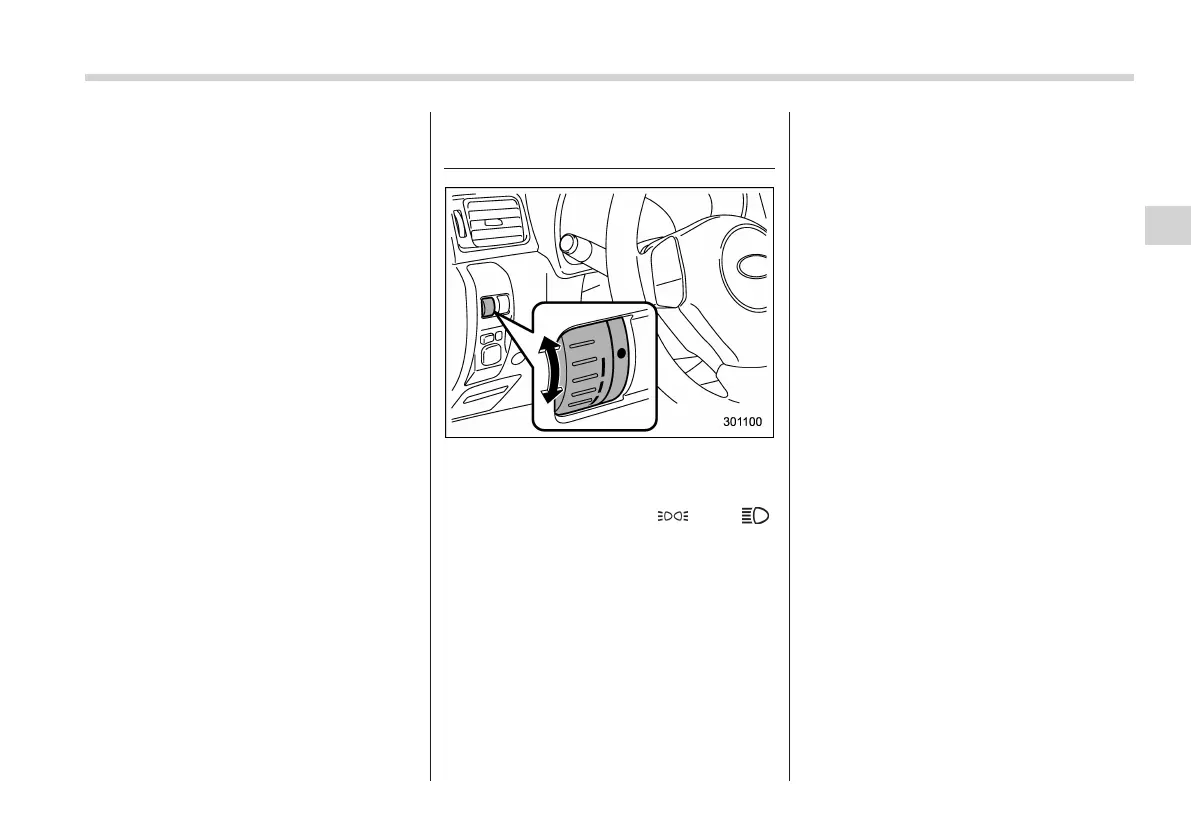
Illumination brightness con-
trol
The brightness of clock display, audio, air
conditioner, information display and instru-
ment panel illumination dims when the
light switch is in the “
” or “ ”
positions. You can adjust brightness of
the instrument panel illumination for better
visibility.
To brighten, turn the control dial upward.
To darken, turn the control dial downward.
NOTE
. When the control dial is turned fully
upward, the illuminati on brightness
becomes the maximum and the auto-
matic dimming function does not work
at all.
. The brightness setting is not can-
celed even when the ignition switch is
turned to the OFF position.
Instruments and controls 3-35
3














 To Next Page