Black plate (208,1)
一般Model "A8140GE-A" EDITED: 2007/ 12/ 13
5-20 Audio
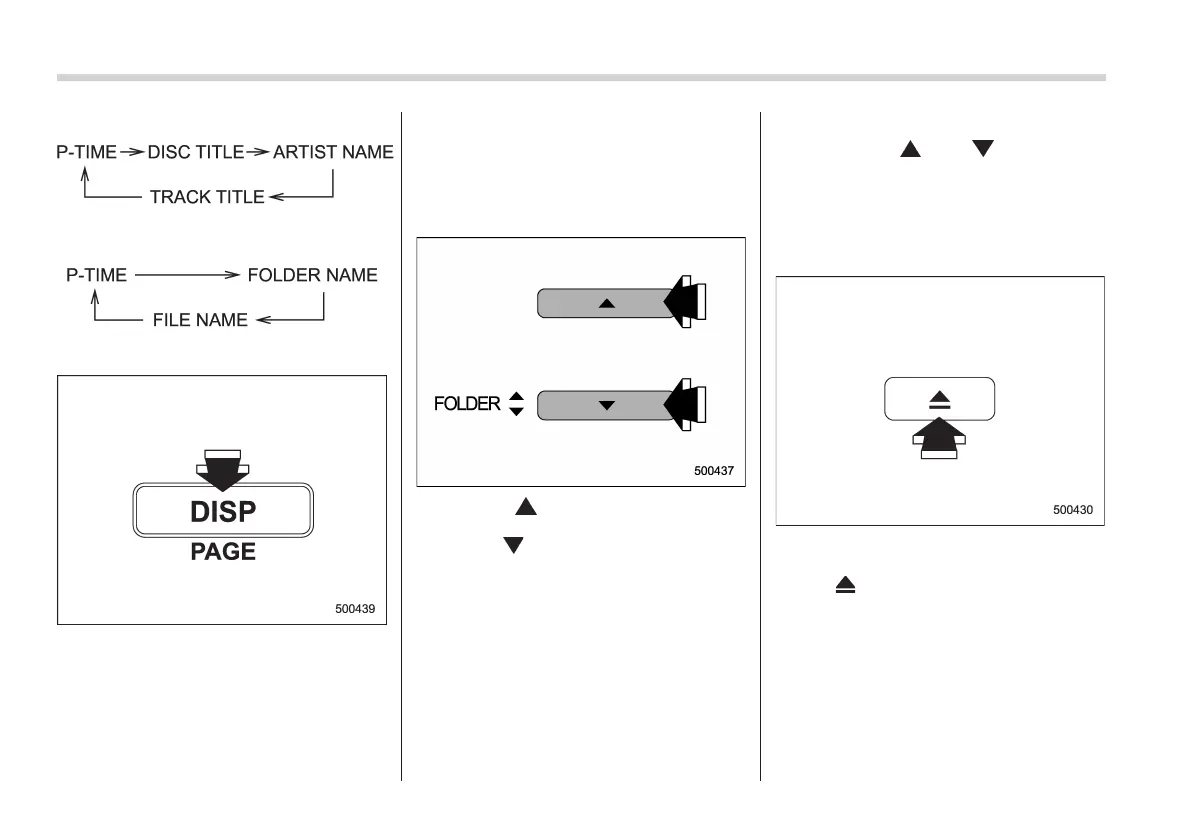
For CD-DA:
For MP3/WMA:
! Page (track/folder title) scroll
If you press the “DISP” button again for at
least 0.5 second, the title will be scrolled
so you can see all of it.
NOTE
The display is designed to show titles
for up to 24 characters.
& Folder selection
Press the “ ” side of the “FOLDER”
button briefly to select the next folder.
Press the “
” side of the button briefly to
go back to the previous folder. The folder
title will be shown each time you press
one of the buttons.
NOTE
. Selecting folders in this way is
possible only within a single disc.
. Only MP3/WMA folders are recog-
nized when an attempt to select the
next or previous folder is made. If no
appropriate folder exists on the disc,
pressing the “
” or “ ” side of the
“FOLDER” button starts playback be-
ginning with the first track/file (track).
& How to eject a CD from the
player (type A and C audio)
When a disc is being played back or when
a disc is in the player, press the eject
button “
”. The disc will be ejected.
NOTE
. Avoid driving the vehicle with a CD
sticking out, because vibration might
make it fall out.
. If the disc is left ejected for more
than approximately 15 seconds after
the ignition switch is turned to the
“OFF” position, a disc protection func-














 To Next Page