Black plate (209,1)
一般Model "A8140GE-A" EDITED: 2007/ 12/ 13
tion will operate, automatically reload-
ing the disc. In this case, the disc is not
played.
& How to eject CDs from the
player (type B audio)
! Ejecting a CD from the player
Of the discs loaded, you can select and
remove only one disc.
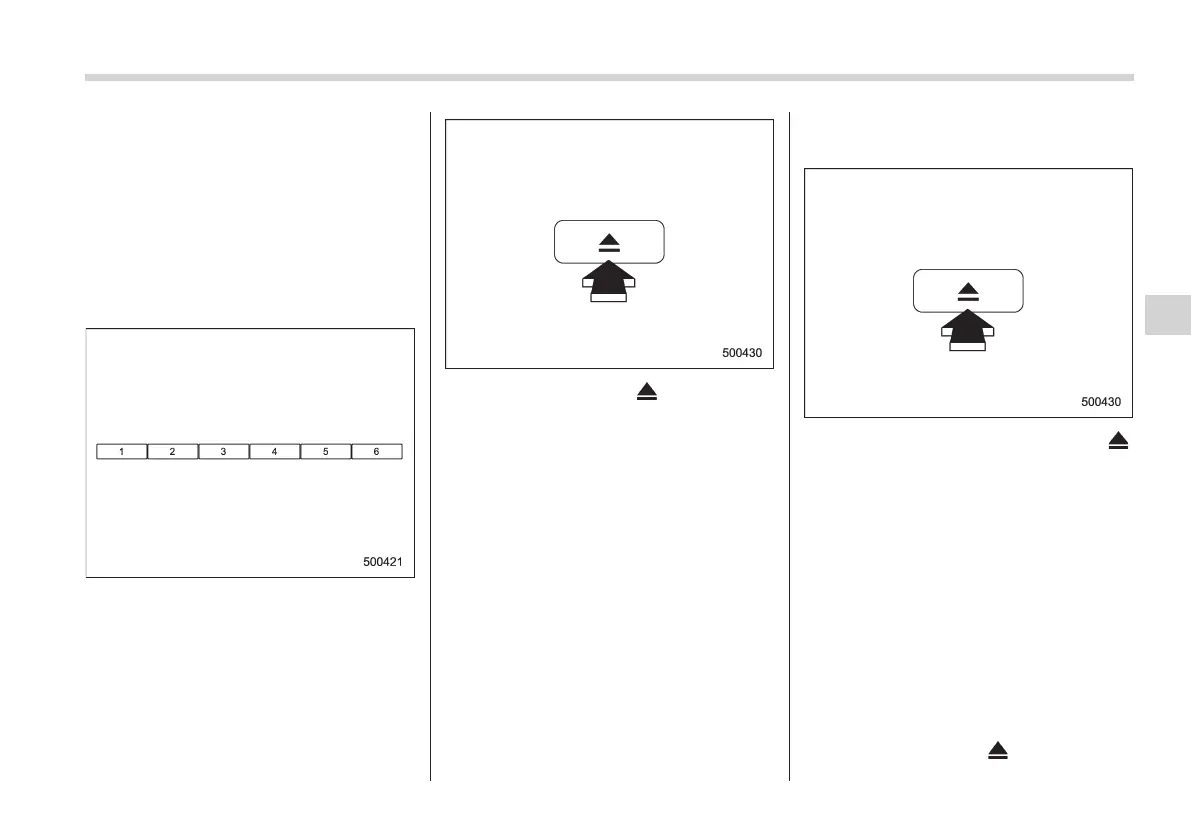
1. Use the disc select button to select the
disc to be ejected.
2. Briefly press the “ ” button. The
selected disc will be ejected. The disc
number indicator will flash at this time.
When you remove the ejected disc, the
disc number indicator will turn off.
To remove more discs in succession,
repeat steps 1 and 2.
! Ejecting all discs from the player
(All disc ejection mode)
1. If you continue to press the “ ”
button, the player will produce beep sound
and will enter the all disc ejection mode. At
this time, the disc number indicator and
“ALL EJECT” indicator will flash.
2. Remove the disc that has been
ejected. The other discs loaded will then
be ejected one after another. If you do not
remove the disc that has been ejected, the
“All disc ejection mode” will be canceled.
NOTE
. Avoid driving the vehicle with a CD
sticking out, because vibration might
make it fall out.
. If you press the “
” button while
Audio 5-21
– CONTINUED –
5














 To Next Page