Black plate (24,1)
一般Model "A8140GE-A" EDITED: 2007/ 12/ 13
22
Function settings
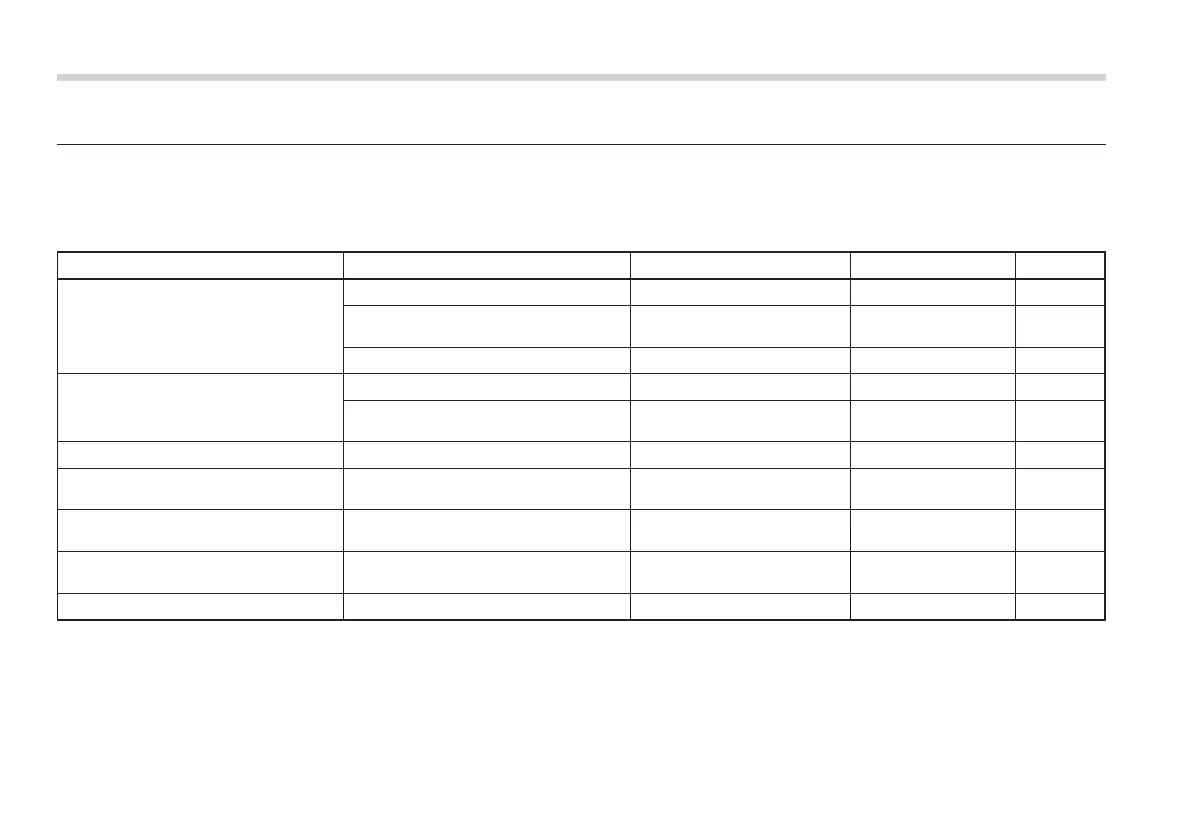
A SUBARU dealer can change the settings of the functions shown in the following table to meet your personal requirements. We
recommend that you contact the nearest SUBARU dealer for details. If your vehicle is equipped with a genuine SUBARU navigation
system, the settings for some of these functions can be changed using the monitor. For details, please refer to the Owner’s Manual
supplement for the navigation system.
Item Function Possible settings Default setting Page
Keyless access
*1*2
Automatic locking Operation/Non-operation Operation 2-14
Automatic locking operation period Can be set in range from 20s
to 60s
30s 2-14
Door unlock selection function
*3
Operation/Non-operation Non-operation 2-13
Remote keyless entry system
*1
Automatic locking Operation/Non-operation Operation 2-25
Automatic locking operation period Can be set in range from 20s
to 60s.
30s 2-25
Key lock-in prevention
*1
Key lock-in prevention Operation/Non-operation Operation 2-7
Rear window defogger Rear window defogger Operation for 15 min./Contin-
uous operation
Operation for 15 min. 3-43
Windshield wiper deicer
*2
Windshield wiper deicer Operation for 15 min./Contin-
uous operation
Operation for 15 min. 3-44
Dome light Operation in interlock with remote key-
less entry system and driver’s door
OFF/Short/Normal/Long Normal 6-2
Battery drainage prevention function Battery drainage prevention function Operation/Non-operation Operation 2-6
*1
: Not applicable to models equipped with double locking system
*2
: If equipped
*3
: Left-hand drive vehicles only














 To Next Page