INSTRUCTIONS MANUAL
-103-
CHANGE OIL/UV CONTAINER
This procedure is needed when changing oil, to remove traces of previous oil from the pipeline.
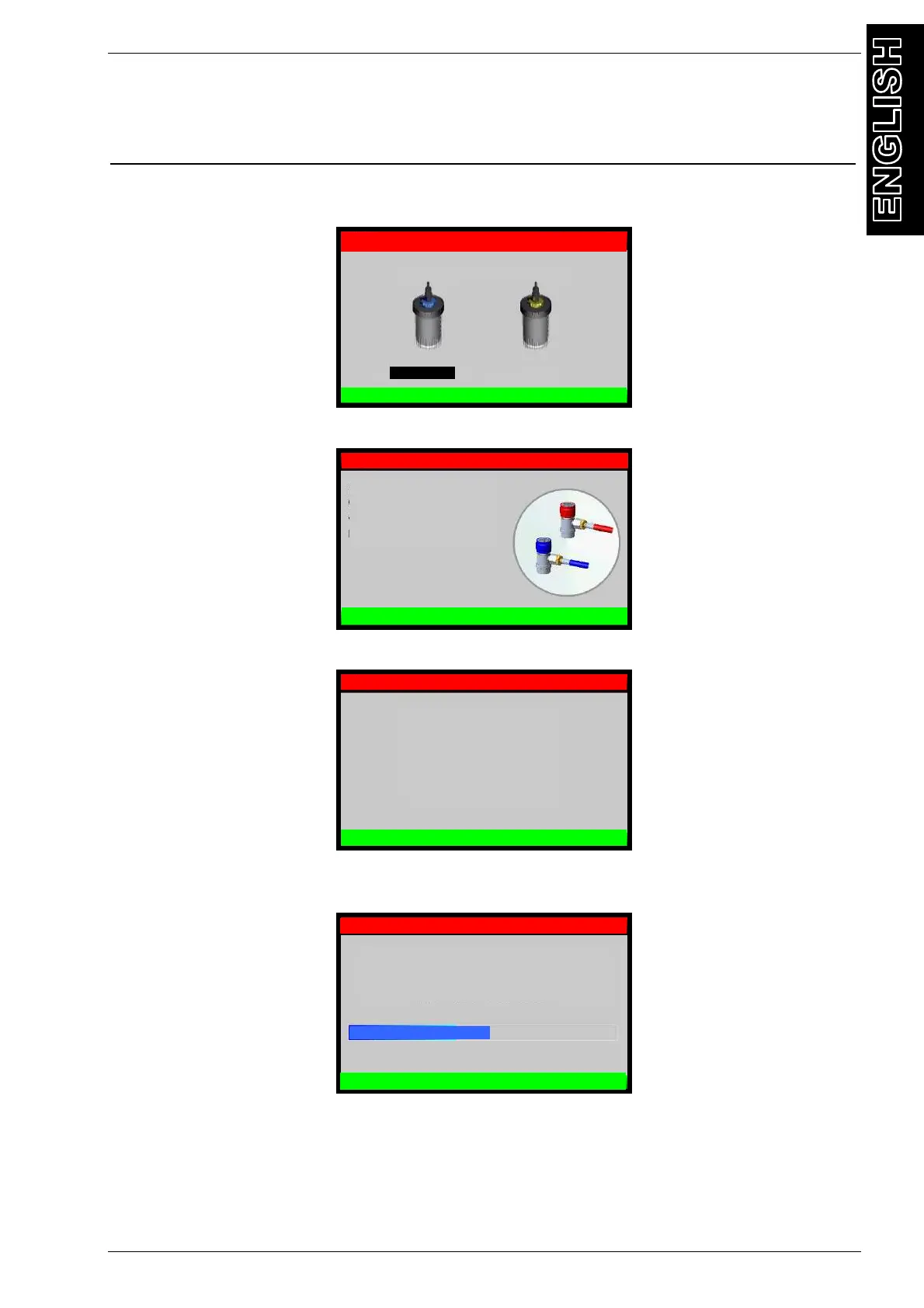
From MAINTENANCE, select CHANGE OIL/UV CONTAINER, the following screen will be
displayed:
Select container to substitute, then press OK, the following screen will be displayed:
Make sure that HP and LP coupling are disconnected from A/C system or else and press OK:
Remove the old container and replace it with the newer one already filled, then press OK to
begin oil drain procedure, the following screen will be displayed:
After some minutes, at the end of the operation the following screen will be displayed:
R134a MAINTENANCE
CHANGE OIL/UV CONTAINER
CHANGE CONTAINER:
OIL container
UV container
Make sure that HP and LP
coupling are disconnected from
/C system or else
Press OK to continue
R134a MAINTENANCE
CHANGE OIL/UV CONTAINER
Remove the old container and
replace it with the newer one
already filled
Then press OK
R134a MAINTENANCE
CHANGE OIL/UV CONTAINER
Change OIL/UV container in progress
R134a MAINTENANCE
CHANGE OIL/UV CONTAINER
Change OIL/UV container


 To Next Page