Troubleshooting continued
Display
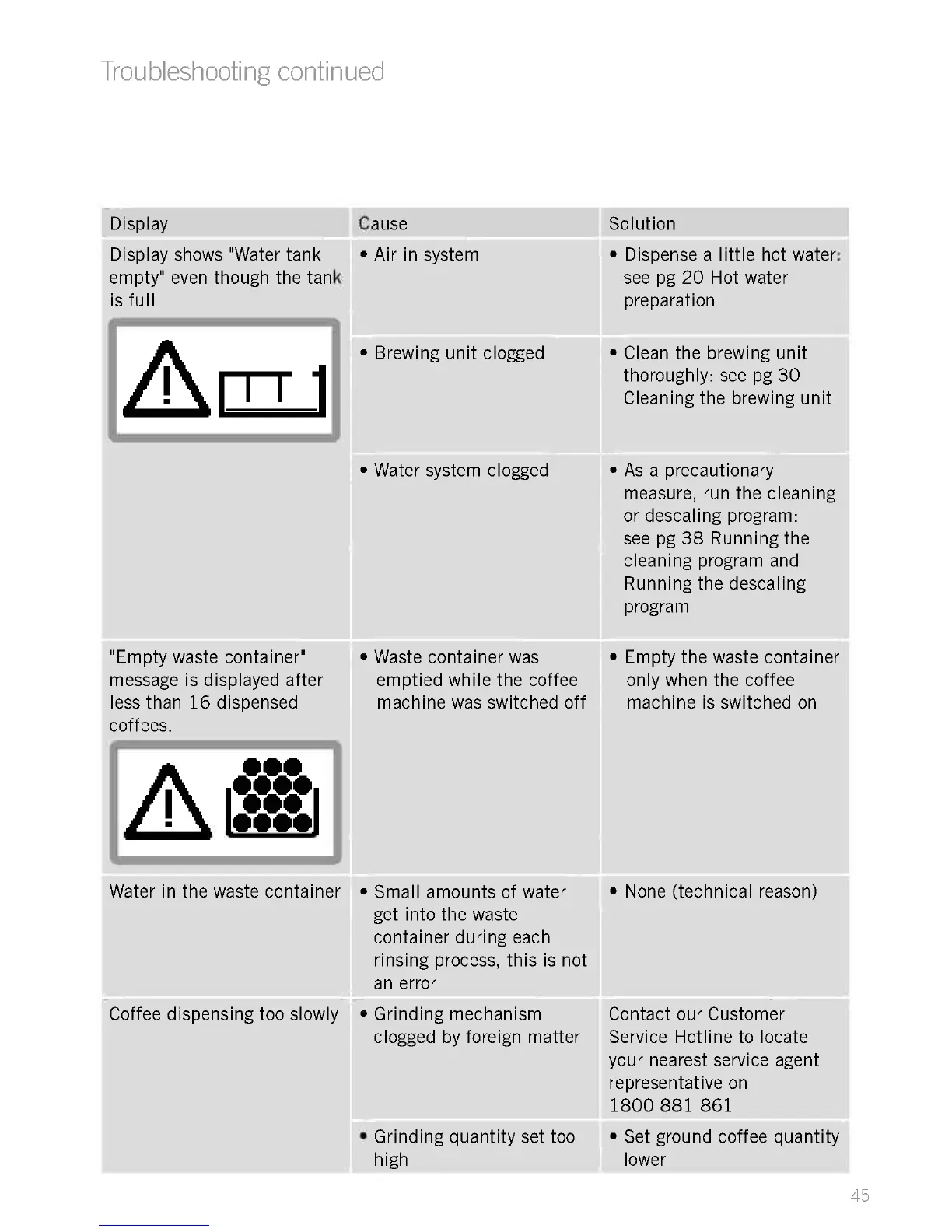
Display shows "Water tank
empty" even though the tank
is full
"Empty waste container"
message is displayed after
less than 16 dispensed
coffees.
I
000
0000
000
0000
Water in the waste container
Coffee dispensing too slowly
Cause
Air in system
Brewing unit clogged
Water system clogged
Waste container was
emptied while the coffee
machine was switched off
Small amounts of water
get into the waste
container during each
rinsing process, this is not
an error
Grinding mechanism
clogged by foreign matter
Solution
Dispense a little hot water:
see pg 20 Hot water
preparation
Clean the brewing unit
thoroughly: see pg 30
Cleaning the brewing unit
As a precautionary
measure, run the cleaning
or descaling program:
see pg 38 Running the
cleaning program and
Running the descaling
program
Empty the waste container
only when the coffee
machine is switched on
None (technical reason)
Contact our Customer
Service Hotline to locate
your nearest service agent
representative on
1800 881 861
Grinding quantity set too Set ground coffee quantity
high lower
45











 To Next Page