SunFounder PiCar-X Kit
• Expert Support: Solve post-sale issues and technical challenges with help from our community and team.
• Learn & Share: Exchange tips and tutorials to enhance your skills.
• Exclusive Previews: Get early access to new product announcements and sneak peeks.
• Special Discounts: Enjoy exclusive discounts on our newest products.
• Festive Promotions and Giveaways: Take part in giveaways and holiday promotions.
Ready to explore and create with us? Click [] and join today!
6.19 Traffic Sign Detection
In addition to color, face detection, PiCar-X can also do traffic sign detection.
Now let’s combine this traffic sign detection with the line following function. Let PiCar-X track the line, and when
you put the Stop sign in front of it, it will stop. When you place a Forward sign in front of it, it will continue to move
forward.
TIPS
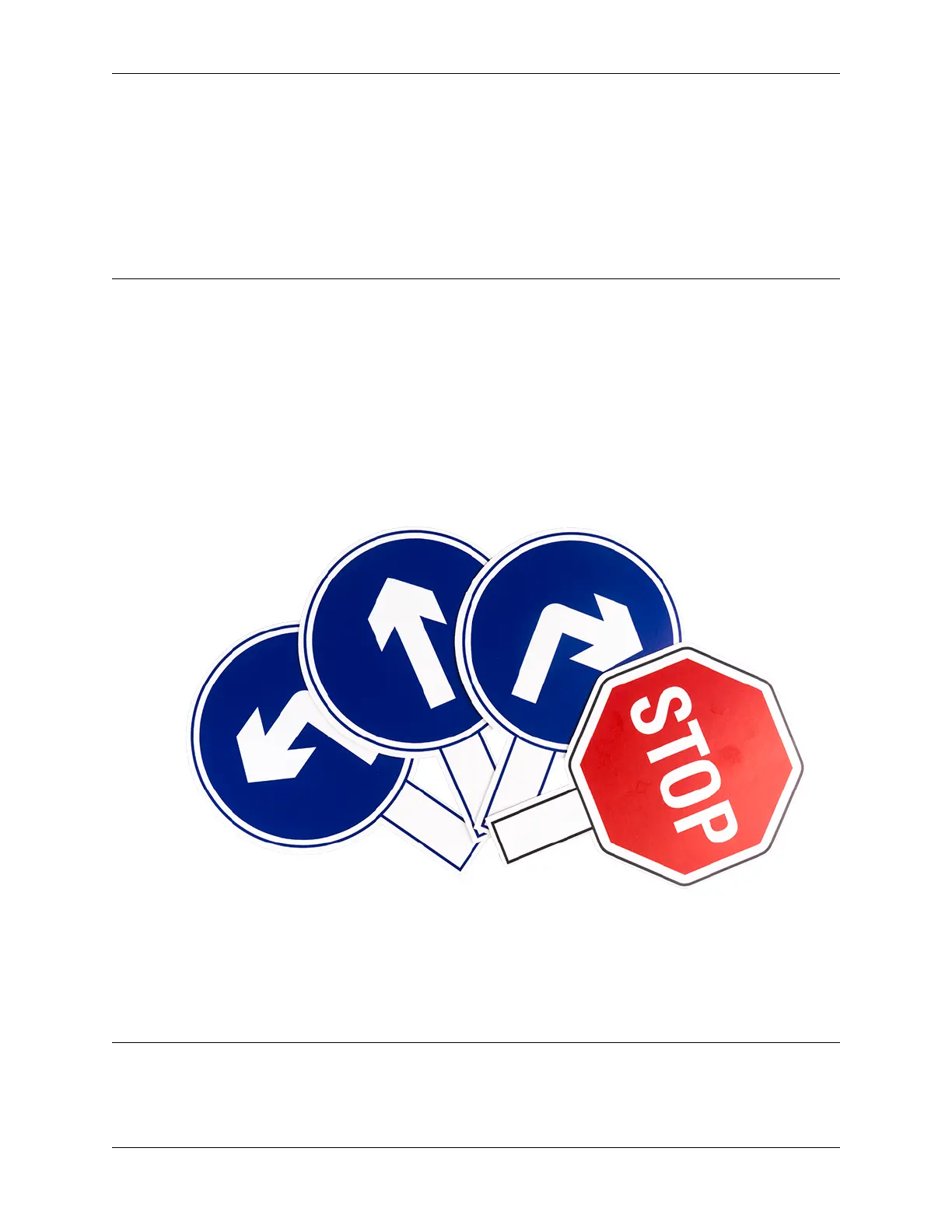
1. PiCar will recognize 4 different traffic sign models included in the printable PDF below.
• [PDF]Traffic Sign Cards
2. Set ref to () block is used to set the grayscale threshold, you need to modify it according to the actual situation.
You can go ahead and run Test Grayscale Module to see the values of the grayscale module on the white and
black surfaces, and fill in their middle values in this block.
EXAMPLE
Note:
• You can write the program according to the following picture, please refer to the tutorial: How to Create a New
Project?.
156 Chapter 6. Play with Ezblock



 To Next Page