SunFounder PiCar-X Kit
Why Join?
• Expert Support: Solve post-sale issues and technical challenges with help from our community and team.
• Learn & Share: Exchange tips and tutorials to enhance your skills.
• Exclusive Previews: Get early access to new product announcements and sneak peeks.
• Special Discounts: Enjoy exclusive discounts on our newest products.
• Festive Promotions and Giveaways: Take part in giveaways and holiday promotions.
Ready to explore and create with us? Click [] and join today!
6.5 Remote Control
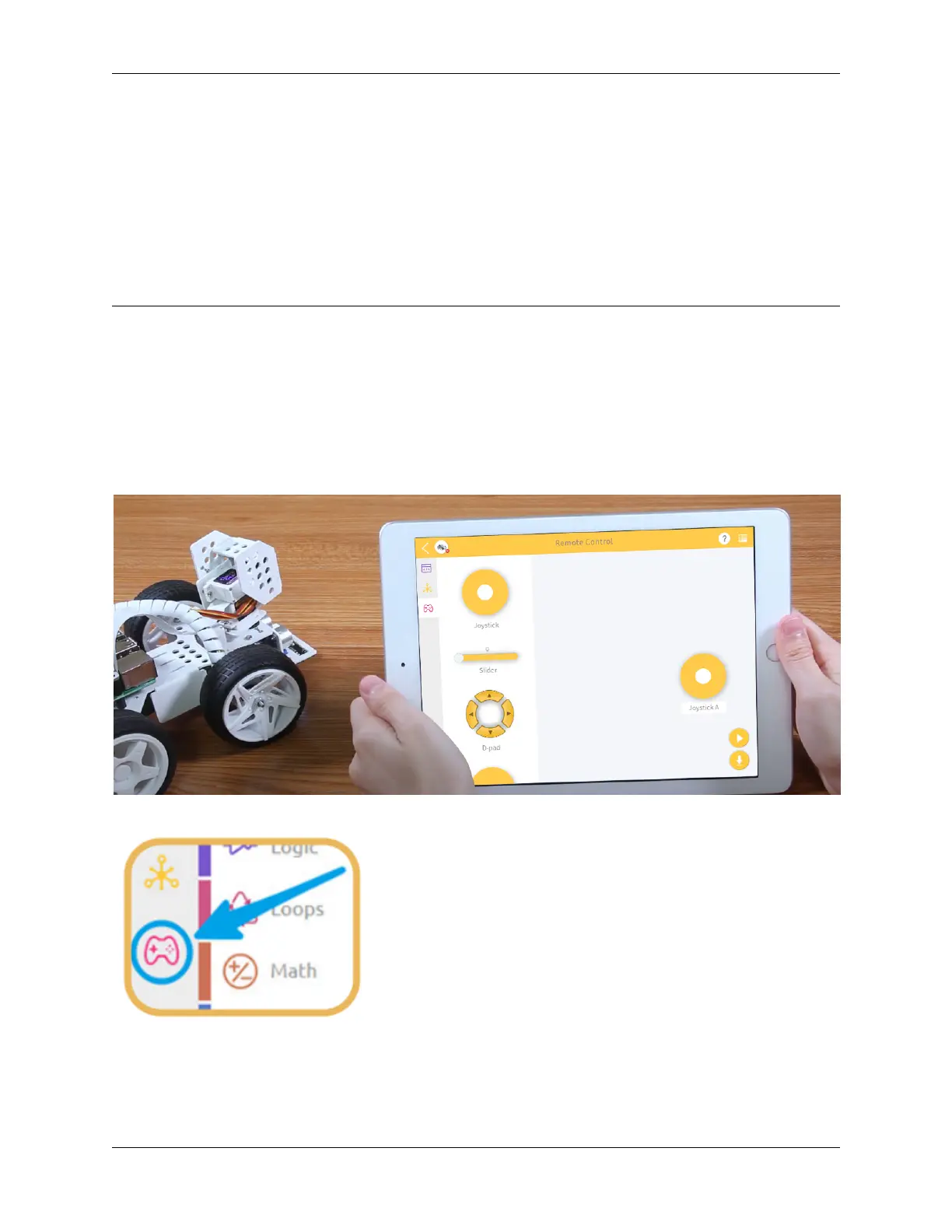
This project will teach how to remotely control the PiCar-X with the Joystick widget. Note: After dragging and dropping
the Joystick widget from the Remote Control page, use the “Map” function to calibrate the Joysticks X-axis and Y-axis
readings. For more information on the Remote Control function, please reference the following link:
• How to Use the Remote Control Function?
TIPS
To use the remote control function, open the Remote Control page from the left side of the main page.
6.5. Remote Control 119



 To Next Page