SunFounder PiCar-X Kit
4.1.6 6. Enable I2C Interface(Important)
We will be using the Raspberry Pi’s I2C interface. This interface should have been enabled when installing the
robot-hat module earlier. To ensure everything is in order, let’s check if it is indeed enabled.
1. Input the following command:
sudo raspi-config
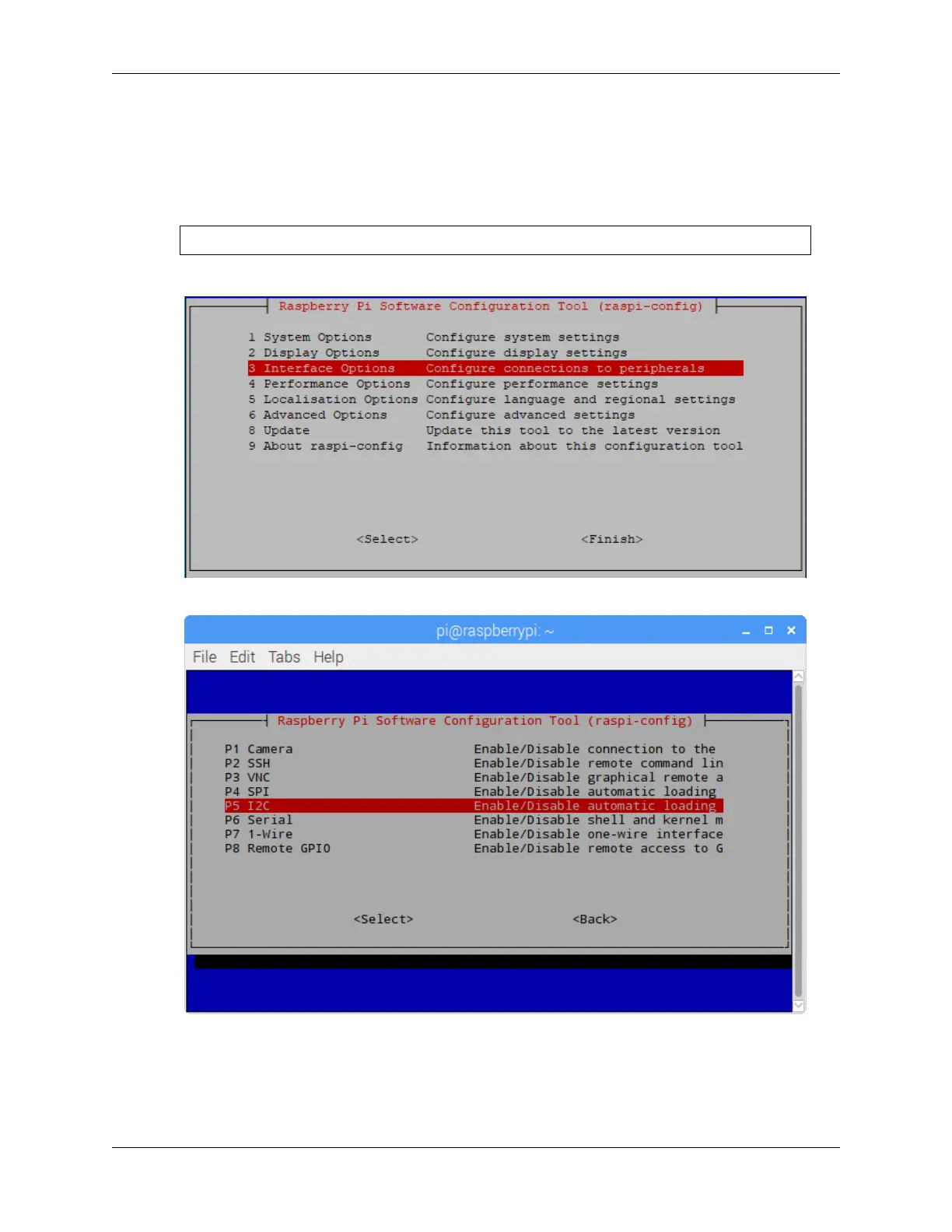
2. Choose Interfacing Options by press the down arrow key on your keyboard, then press the Enter key.
3. Then I2C.
4. Use the arrow keys on the keyboard to select <Yes> -> <OK> to complete the setup of the I2C.
38 Chapter 4. Play with Python



 To Next Page