SunFounder PiCar-X Kit
Step 2: Connect to Raspberry Pi
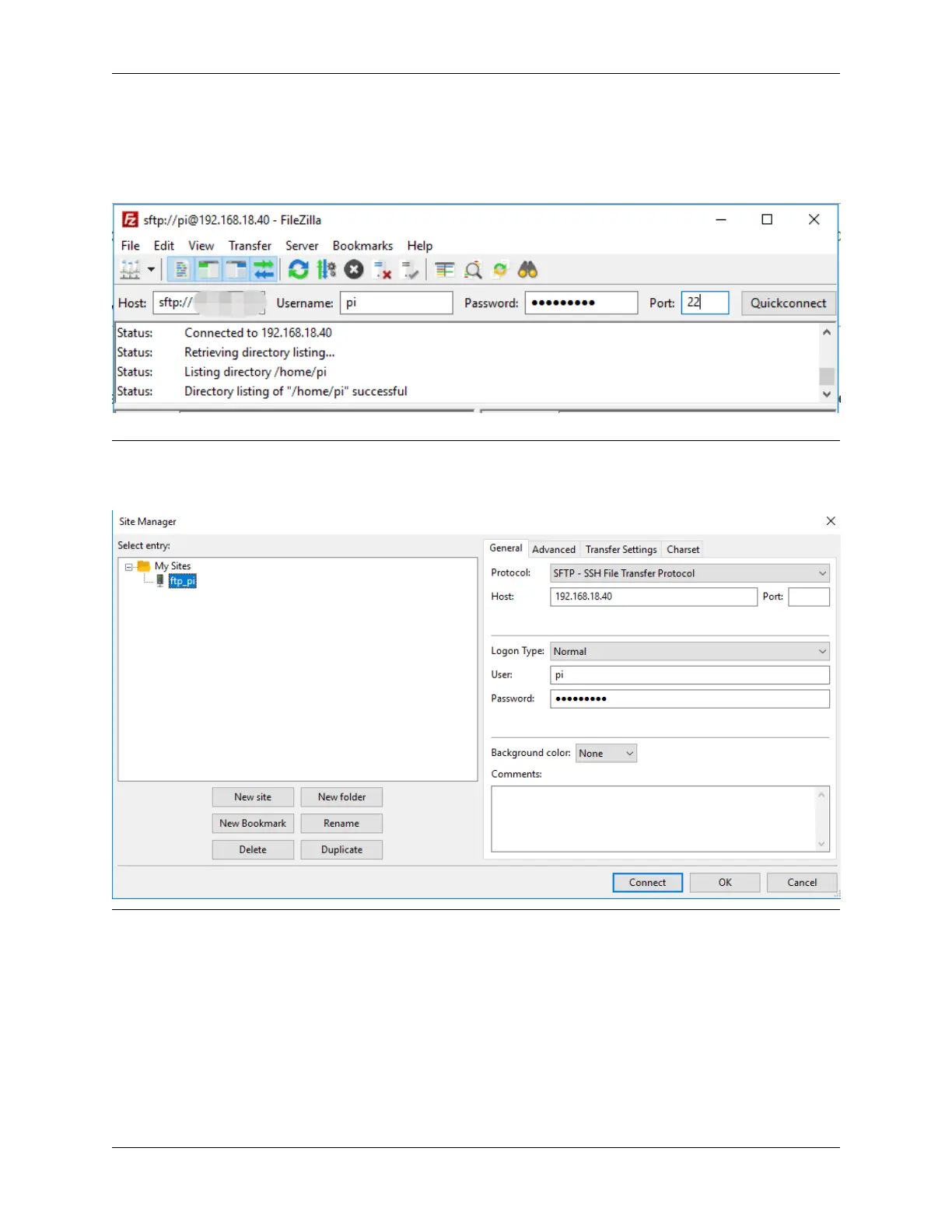
After a quick install open it up and now connect it to an FTP server. It has 3 ways to connect, here we use the Quick
Connect bar. Enter the hostname/IP, username, password and port (22), then click Quick Connect or press Enter
to connect to the server.
Note: Quick Connect is a good way to test your login information. If you want to create a permanent entry, you can
select File-> Copy Current Connection to Site Manager after a successful Quick Connect, enter the name and click
OK. Next time you will be able to connect by selecting the previously saved site inside File -> Site Manager.
Step 3: Upload/download files.
You can upload local files to Raspberry Pi by dragging and dropping them, or download the files inside Raspberry Pi
files locally.
166 Chapter 7. Appendix



 To Next Page