SunFounder PiCrawler Kit
3.1.1 1. What Do We Need?
Required Components
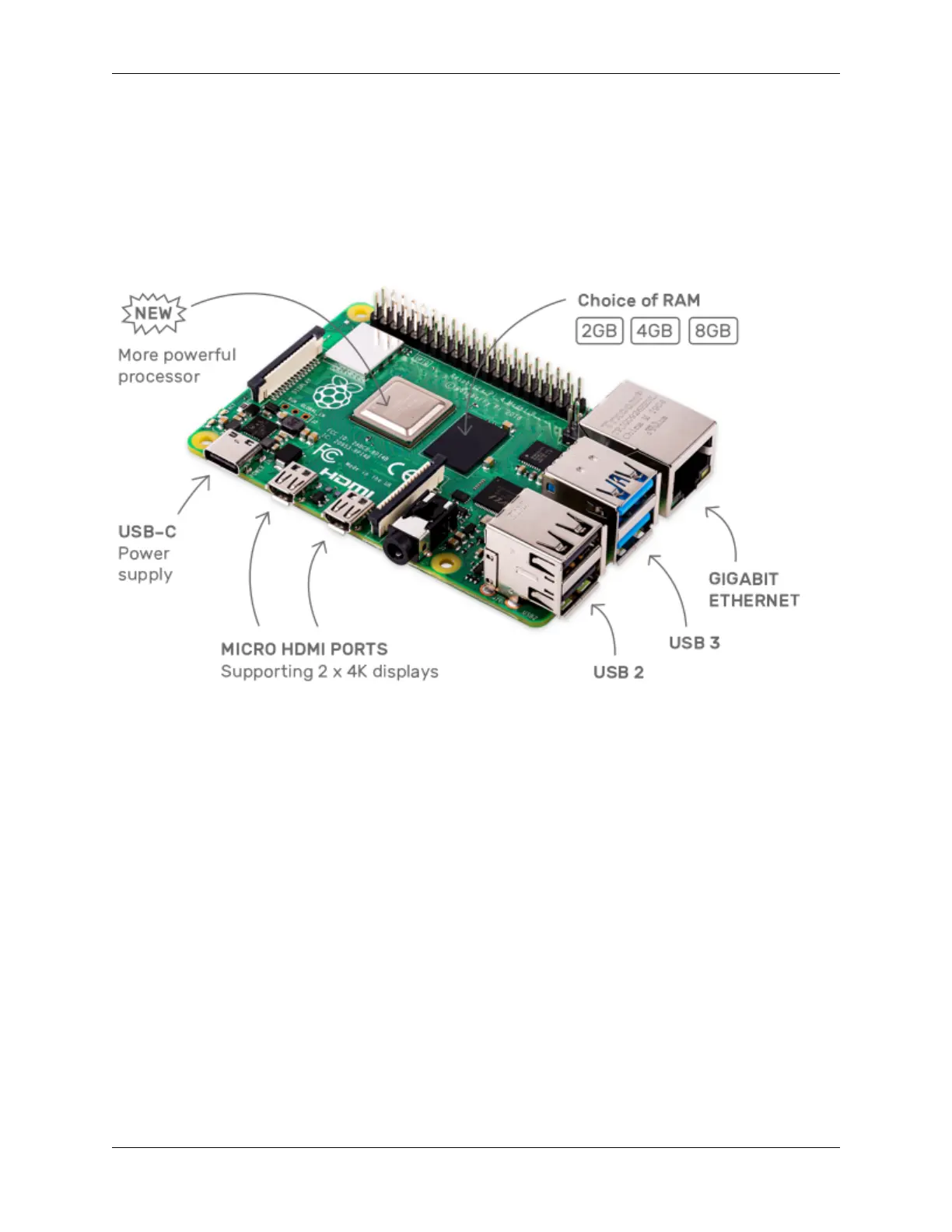
Raspberry Pi
The Raspberry Pi is a low cost, credit-card sized computer that plugs into a computer monitor or TV, and uses a standard
keyboard and mouse. It is a capable little device that enables people of all ages to explore computing, and to learn how
to program in languages like Scratch and Python.
Power Adapter
To connect to a power socket, the Raspberry Pi has a micro USB port (the same found on many mobile phones). You
will need a power supply which provides at least 2.5 amps.
Micro SD Card
Your Raspberry Pi needs an Micro SD card to store all its files and the Raspberry Pi OS. You will need a micro SD
card with a capacity of at least 8 GB
Optional Components
Screen
To view the desktop environment of Raspberry Pi, you need to use the screen that can be a TV screen or a computer
monitor. If the screen has built-in speakers, the Pi plays sounds via them.
Mouse & Keyboard
When you use a screen , a USB keyboard and a USB mouse are also needed.
HDMI
The Raspberry Pi has a HDMI output port that is compatible with the HDMI ports of most modern TV and computer
monitors. If your screen has only DVI or VGA ports, you will need to use the appropriate conversion line.
8 Chapter 3. Play with Python



 To Next Page