SunFounder PiCrawler Kit
3.10 Treasure Hunt
Arrange a maze in your room and place six different color cards in six corners. Then control PiCrawler to search for
these color cards one by one!
Note: You can download and print the PDF Color Cards for color detection.
Run the Code
cd ~/picrawler/examples
sudo python3 treasure_hunt.py
View the Image
After the code runs, the terminal will display the following prompt:
No desktop !
* Serving Flask app "vilib.vilib" (lazy loading)
* Environment: production
WARNING: Do not use the development server in a production environment.
Use a production WSGI server instead.
* Debug mode: off
* Running on http://0.0.0.0:9000/ (Press CTRL+C to quit)
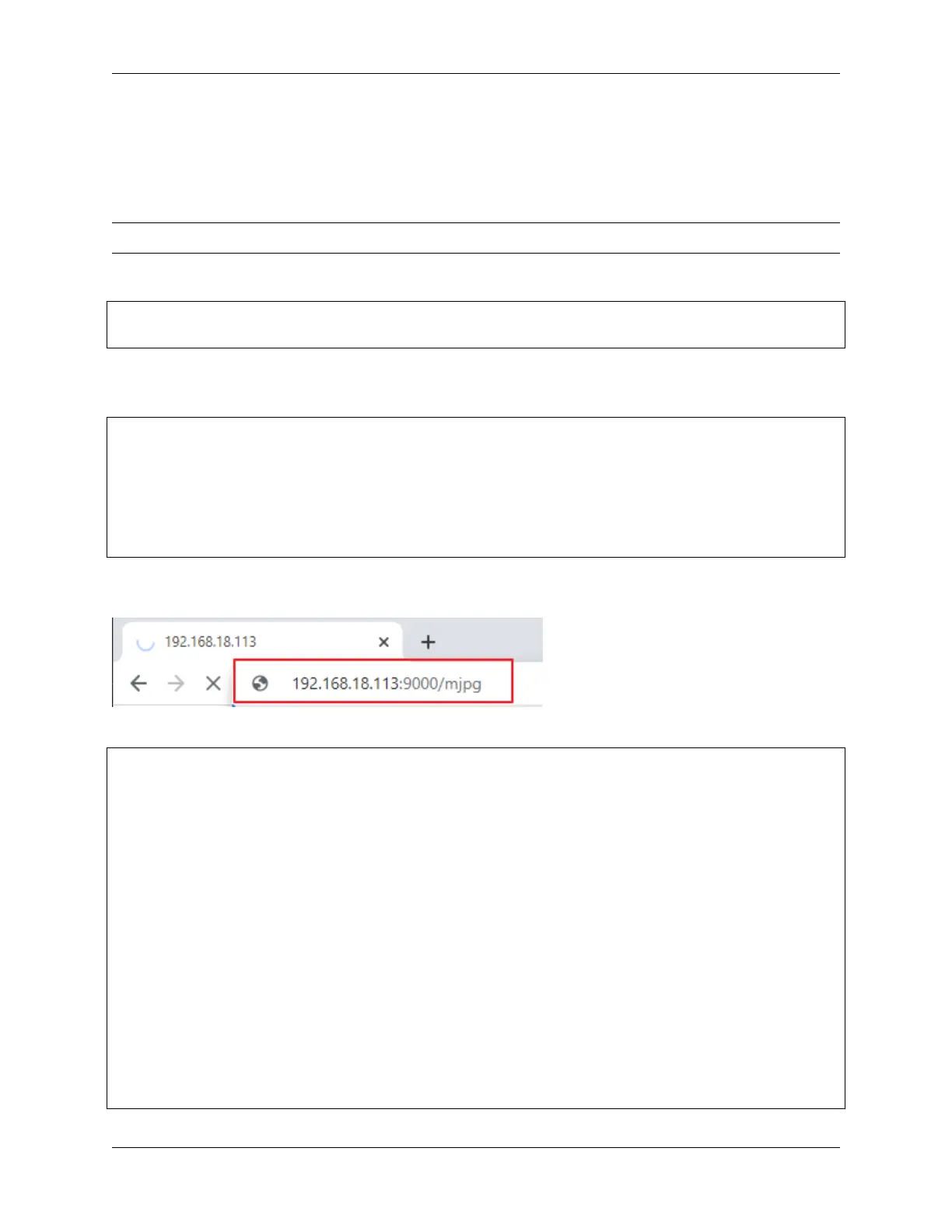
Then you can enter http://<your IP>:9000/mjpg in the browser to view the video screen. such as: http://192.
168.18.113:9000/mjpg
Code
from picrawler import Picrawler
from time import sleep
from robot_hat import Music,TTS
from vilib import Vilib
import readchar
import random
import threading
crawler = Picrawler()
music = Music()
tts = TTS()
manual = '''
Press keys on keyboard to control Picrawler!
w: Forward
a: Turn left
s: Backward
(continues on next page)
64 Chapter 3. Play with Python



 To Next Page