SunFounder PiCrawler Kit
• Learn & Share: Exchange tips and tutorials to enhance your skills.
• Exclusive Previews: Get early access to new product announcements and sneak peeks.
• Special Discounts: Enjoy exclusive discounts on our newest products.
• Festive Promotions and Giveaways: Take part in giveaways and holiday promotions.
Ready to explore and create with us? Click [] and join today!
3.12 Adjust Posture
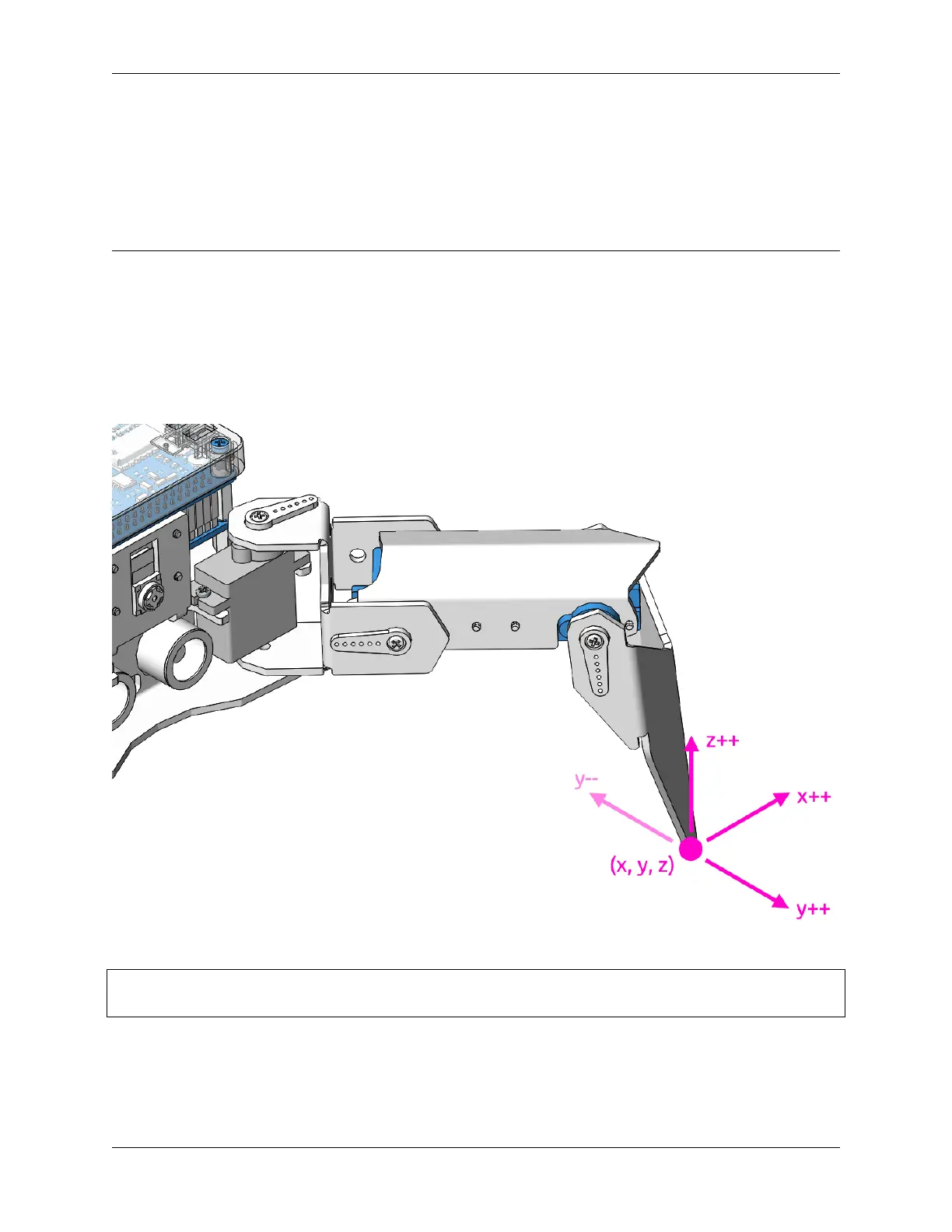
In this example, we use the keyboard to control the PiCrawler foot by foot and assume the desired posture.
You can press the space bar to print out the current coordinate values. These coordinate values come in handy when
you create unique actions for PiCrawler.
Run the Code
cd ~/picrawler/examples
sudo python3 do_single_leg.py
After the code runs, please operate according to the prompt that pops up in the terminal.
• Press 1234 to select the feet separately, 1: right front foot, 2: left front foot, 3: left rear foot, 4: right rear foot
• Press w, a, s, d, r, and f to slowly control the PiCrawler’s coordinate values.
72 Chapter 3. Play with Python



 To Next Page