40
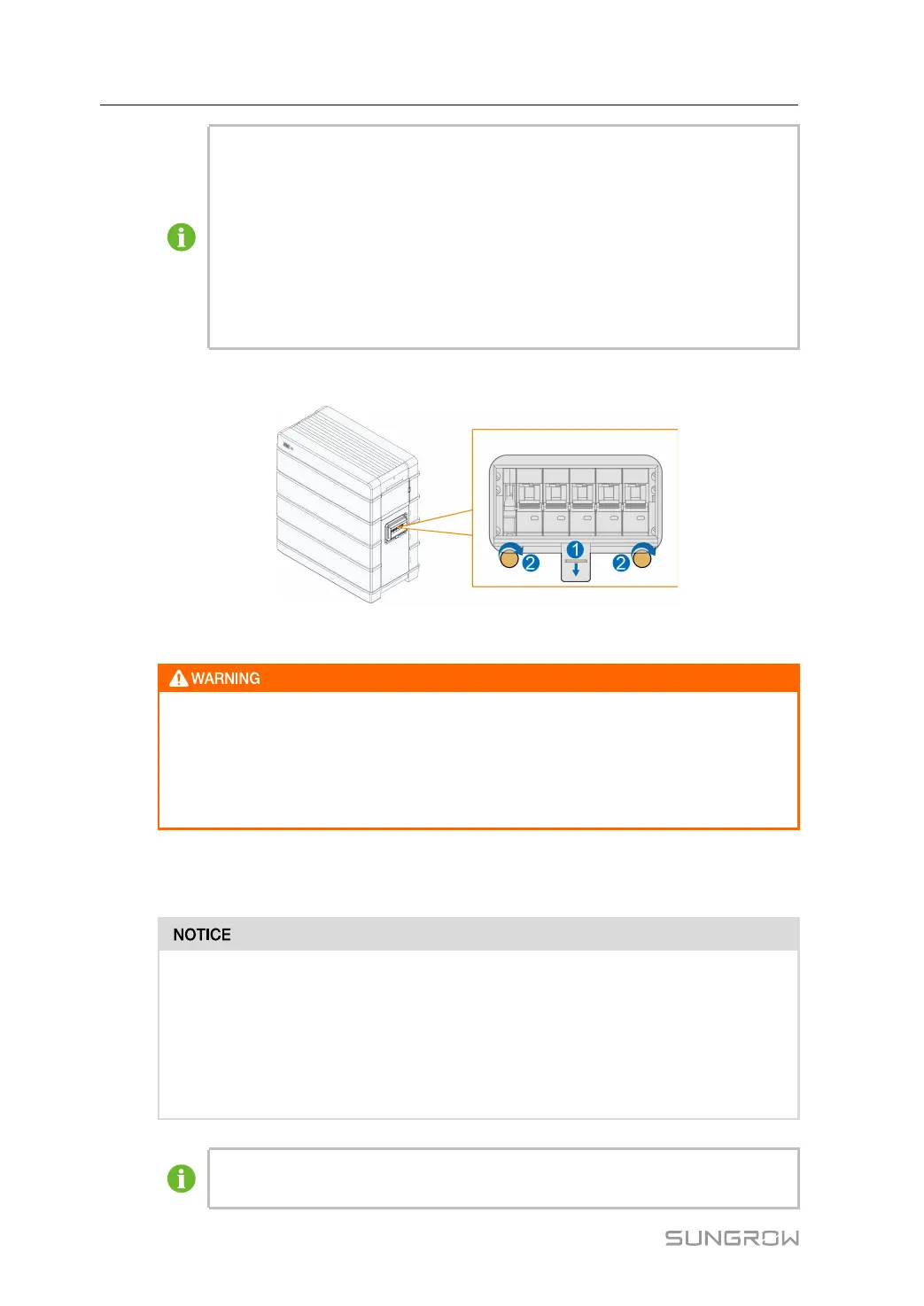
Black Start:
If the communication is established for the first time between the battery and the
PCS, and the PCS has no DC power supply and no AC power supply: Manually
connect the DC breaker on the right side of the battery so that the BMS enters the
self-test state. The status indicator blinks in blue. Ten seconds later, press and
hold the status indicator for less than 2 seconds. Wait until the indicator is steady
on in blue, which indicates that the battery system is powered on and runs
normally.
step 3 Close the protective cover.
- - End
During commissioning, if there is a short-circuit fault in the battery system, discon-
nect the power cable between the switch gear and the PCS, check the battery sys-
tem wiring, and eliminate the short-circuit fault point. Execute step 2, check
whether there is a fault in the battery (the indicator light is red), and obtain fault in-
formation through iSolarCloud to contact SUNGROW to repair the battery system.
6.3 First Power-on Calibration
The battery can only be connected to PCS produced by SUNGROW, as listed
below:
• Three-phase model: SH5.0RT, SH6.0RT, SH8.0RT, SH10RT .
• Single-phase model: SH3.0RS, SH3.6RS, SH4.0RS, SH5.0RS, SH6.0RS.
• Japanese single-phase model: SH5.5RS-JP
Pay attention the PCS firmware version should be same that is illustrated in PCS
manuals.
6 Commissioning User Manual


 To Next Page