Questions? Call or Text +1-801-658-0015 • 19
e Micro Welder Experts
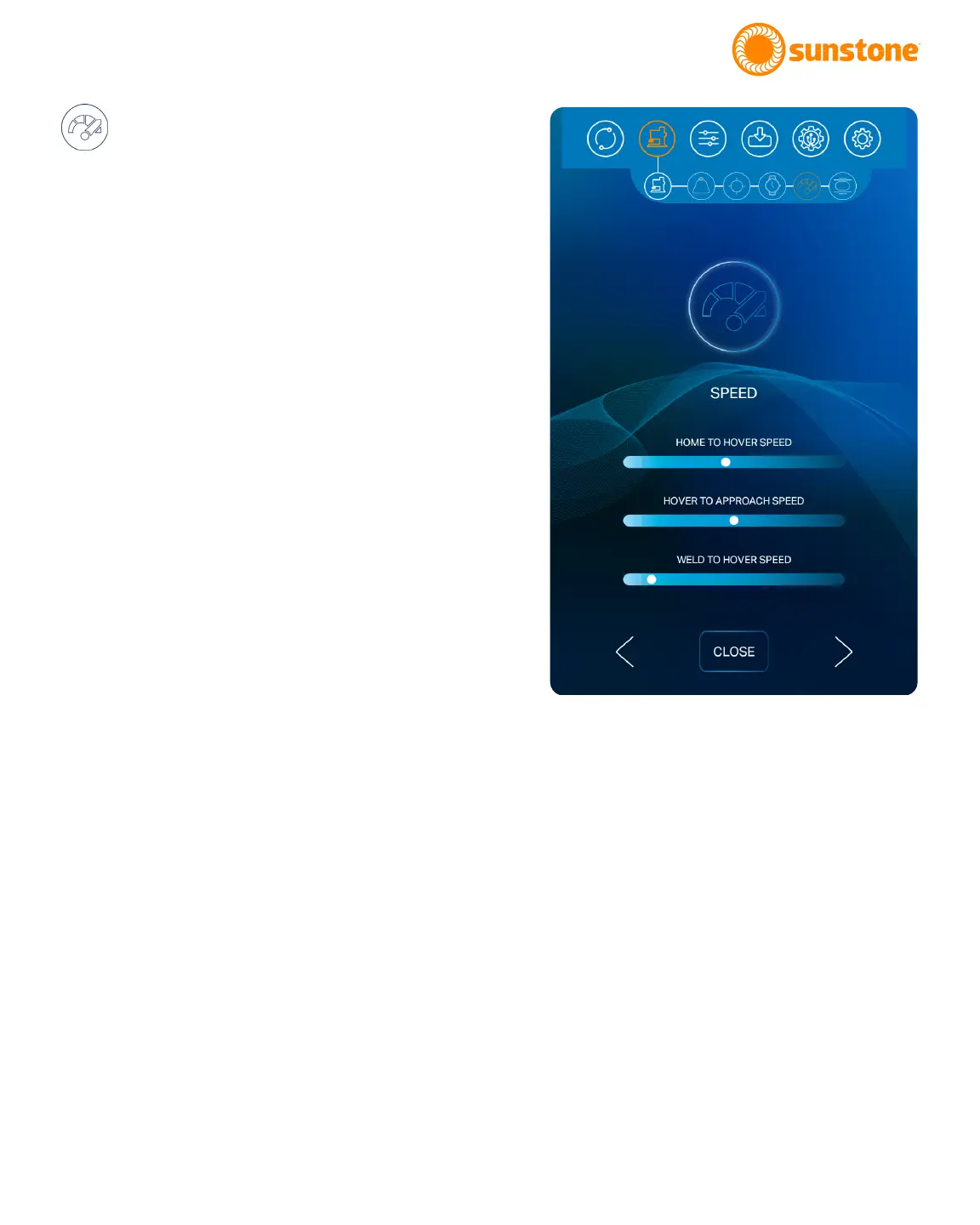
SPEED
The fth step in setting up the weld head is to
set desired travel speeds, which can be individually set
for transitions between three dierent points during
the weld via three dierent sliders. Speeds can be set
within the range of 1 to 100%.
Set the Total Distance Speed. Use the slider bar to set
the travel speed between Home Point and the Hover
Point.
Set the Hover to Approach Speed. Use the slider bar
to set the travel speed between the Hover Point and the
Approach Point.
Set the Weld to Hover Speed. Use the slider bar to set
the travel speed between the Weld Point and the Hover
Point.
Once the desired speeds have been entered, choose
the right arrow button at the bottom of the screen to
continue. To end the setup process, press the Close
Button. To return to a previous screen, press the back
arrow button on the left side of the screen.
Figure 19.1. The fth step in setting up the weld head is
to set desired travel speeds, which can be individually
set for transitions between three dierent points
during the weld via three dierent sliders. Speeds can
be set within the range of 1 to 100%.















 To Next Page