20 • Questions? Call or Text +1-801-658-0015
Users Guide
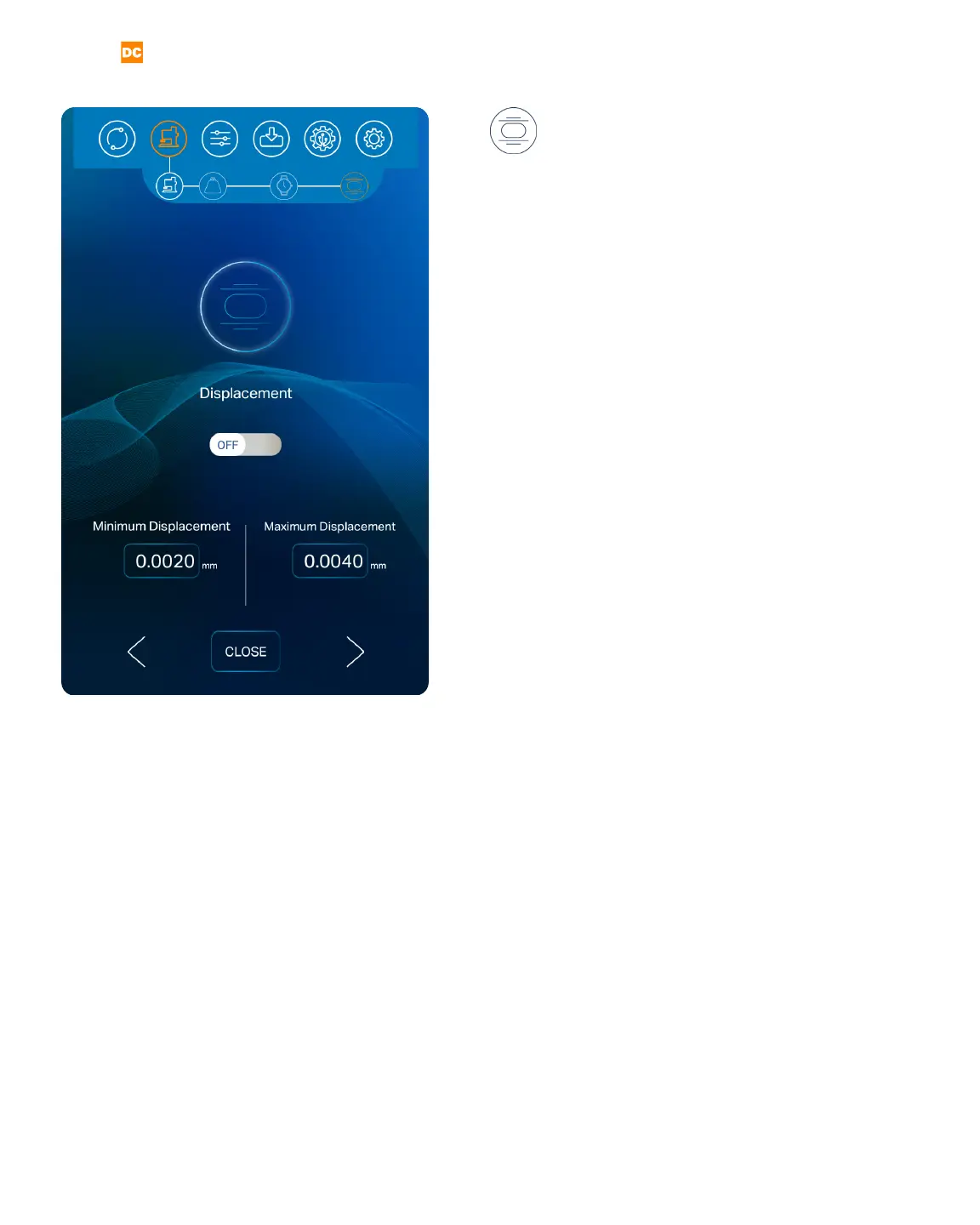
Figure 20.1. The sixth and nal step in setting up the weld
head is to set a minimum and maximum value for weld
displacement
DISPLACEMENT
The sixth and nal step in setting up the weld
head is to set a minimum and maximum value for weld
displacement (the distance the electrode travels during
the weld energy discharge).
If you wish to set a minimum and maximum displace-
ment limit, touch and slide the Displacement On/O
Button to the On position. If you want the Pico to ignore
displacement, touch and slide the Displacement On/O
Button to the O Position.
To set displacement limits, touch the Minimum or Max-
imum Displacement box. A pop-up box will appear. Use
the slider bar or the number pad to set the displace-
ment limit. Press the Close Button to enter the limit.
When you choose to have the Pico monitor displace-
ment, you will be notied If the actual weld displace-
ment exceeds the values you set here.
Once the desired displacement limits have been en-
tered, choose the right arrow button at the bottom of
the screen to end the weld head setup process. The
Run Screen will appear when the weld head setup pro-
cess is completed. To return to a previous step within
the weld head setup process, press the back arrow
button on the left side of the screen or press any of the
icons in the weld head setup navigation bar.















 To Next Page