B040
N.B. : alternative version
C040
C030
C050
C160
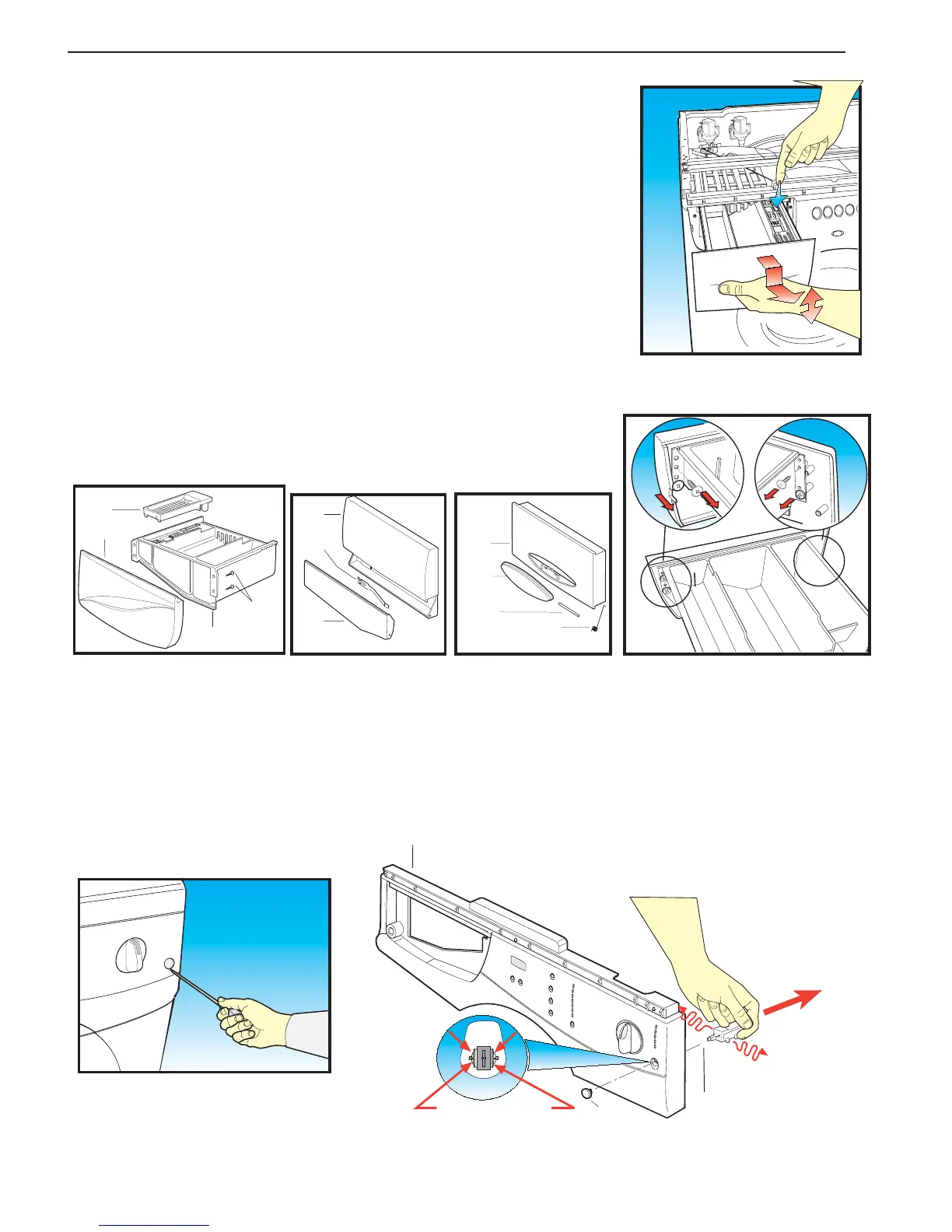
Step 21 Removing the drawer handle (C040) from the control panel:
(a) Pull the detergent dispenser drawer out as far as it will go.
(b) Press downwards, pull gently and extract the drawer.
Alternative version
(b) Press the lever on the fabric conditioner compartment downwards,
pull gently and extract the drawer.
(c) T o replace the drawer, insert it in the guides and push it inwards.
Step 22 Replacing the detergent drawer (C030) or drawer handle (C040):
(a) Extract the drawer (Step 21).
(b) Use a crosshead screwdriver to remove the four fixing screws
(C160) securing the handle (C040) to the drawer (C030)
Recover the fabric conditioner tray (C050).
(c) To re-assemble, follow the same procedure in reverse order.
Step 23 Removing the switch (B040) from the Control Panel:
(a) Remove the top cover (Step 1).
(b) Use a very thin flat screwdriver as a lever between the circumference of button (B023) and the front
panel to remove the button. Place a cloth between the two parts to protect them.
(c) Remove the switch (B040) by levering the retaining lugs with a flat screwdriver, at the same time
pull the switch (B040) back moving it left and right to help disengage the lugs.
(d) Disconnect the wires, noting their positions.
(e) To re-assemble, follow the same procedure in reverse order.
CONTROL PANEL
C320
C310
C040
C330
C310
C040
C330
B023
B010
Retaining lugs


 To Next Page