39 ©2022 Sveaverken. All rights reserved.
Sveaverken F100 Auto Steer System Software User Manual
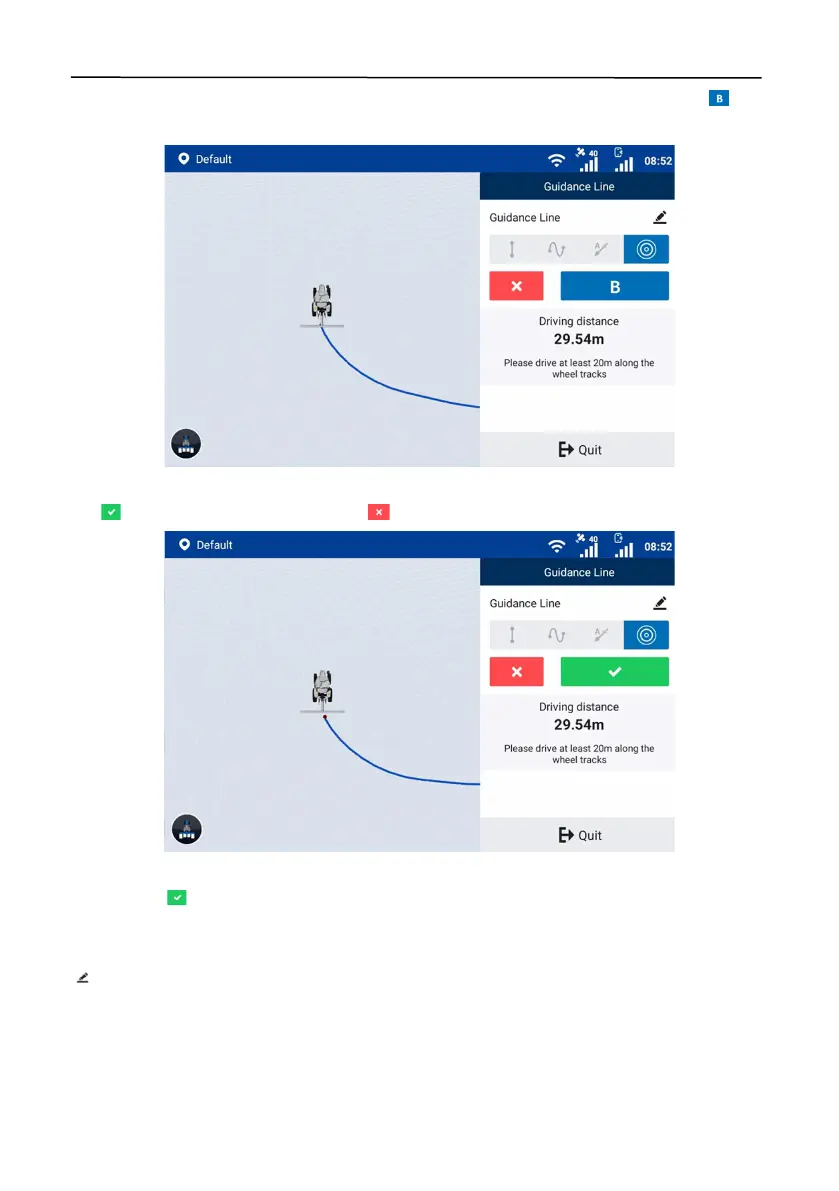
Stay in the manual mode, drive along the circular field edge for at least 20 m, and then tap to
set the current positon as point B.
Figure 69.
Set point B
Tap to generate the pivot circle, or tap to cancel the guidance line creation.
Figure 70.
Generate the pivot circle
After you tap , a popup window appears. Enter the distance from the implement edge to the
field edge in the popup window, and tap
OK
to import the pivot circle. The system goes to the
home screen and uses the pivot circle automatically. When creating a guidance line, you can tap
in the upper right corner to change the guidance line name and the distance to the field edge.



 To Next Page