71 ©2022 Sveaverken. All rights reserved.
Sveaverken F100 Auto Steer System Software User Manual
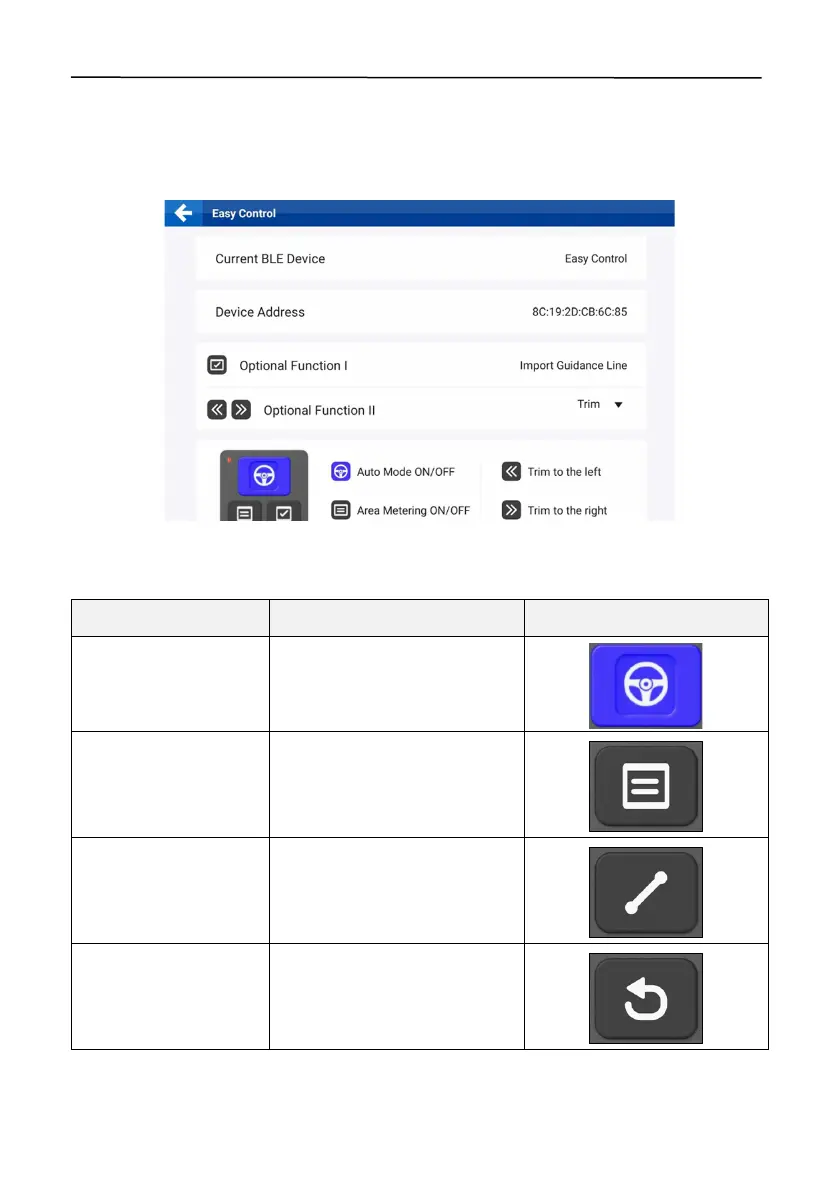
5.5.2 Function Settings
When the remote control is connected, tap
Easy Control
in the application list, check the Easy
Control device information and function settings, and configure the optional function II as
Tr im
or
Basic U-turn
.
Figure 117.
Function settings
5.5.3 Easy Control Buttons
Press the button to turn on or
off the autosteering mode.
Press the button to turn on or
off the
Record
switch on the
home screen.
Press the button to mark a point
when creating a guidance line.
Press the button to cancel a
point when creating a guidance
line.



 To Next Page