Equipment details
104
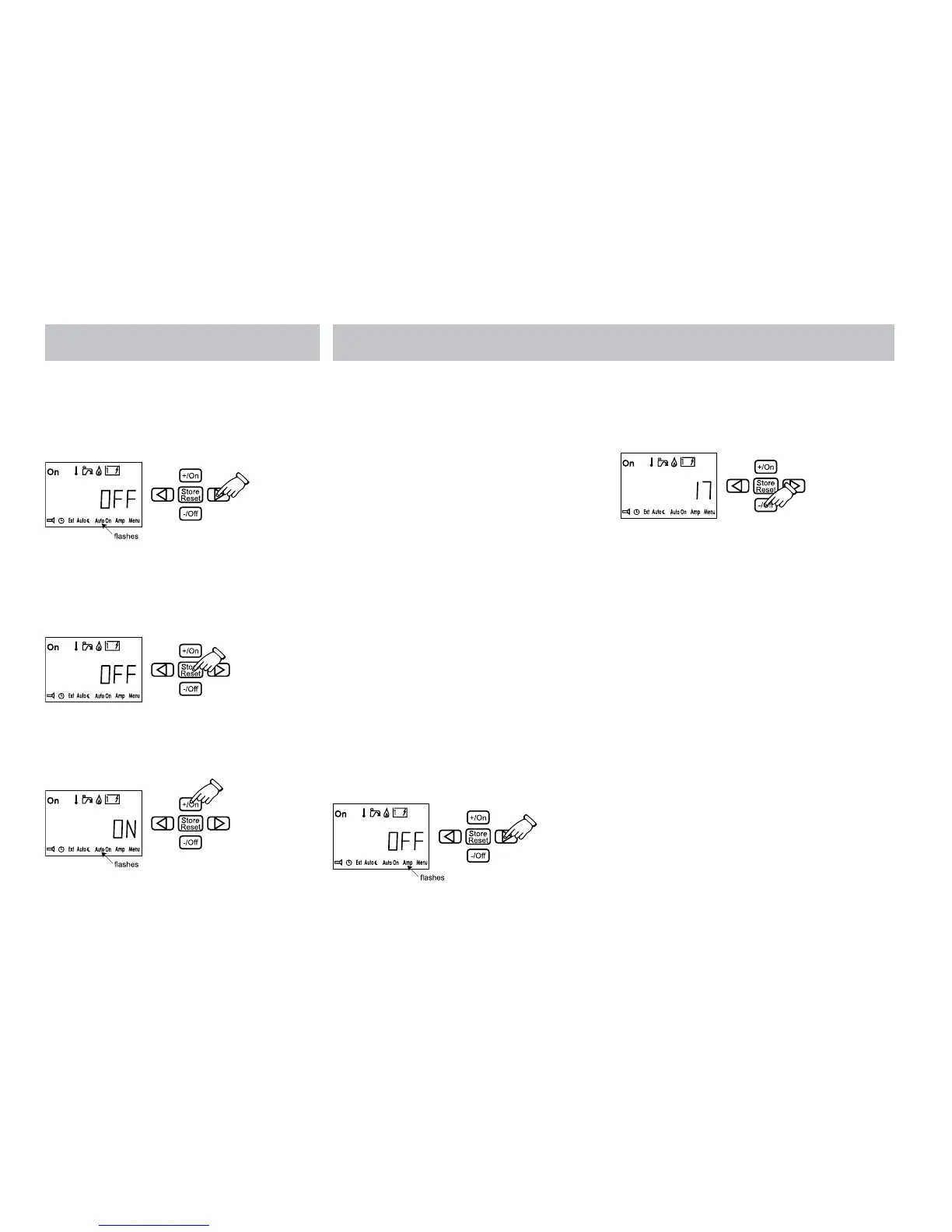
1. Press the button with the arrow until the
AutoOn symbol flashes. “OFF” is shown in
the display. To activate AutoOn, press the
+/ On button or the -/Off button to close the
function.
2. The start time will be displayed. Set the
time in accordance with item 12 and press
“Store” to store the settings. “OFF” is
shown in the display.
3. Press the +/On button. On is shown in the
display and AutoOn flashes. Set the panel’s
main breaker to OFF.
When you get to the vehicle and AutoOn is
activated, de-activate AutoOn so that the
heater does not stop after 24 hours (the
boiler cannot be switched off when AutoOn is
activated).
You can then step back with the left-hand
button in the settings and press Store in all
positions.
16. LOAD MONITOR AMP
This function is used if you do not want the
230V fuses to become overloaded. If the
vehicle’s total current consumption exceeds the
set value, the boiler’s electrical power will be
automatically reduced. On account of voltage
variations and tolerances, one can select
various control levels (for example, for 6A fuse,
one can choose either 5,6,7 Amp setting).
If the fuse does not hold, select a lower set
value. The function is disconnected in the
factory setting. To activate the function, you
must first light up the lower row of functions
(see item 11).
1. Press the button with the arrow until the
Amp symbol flashes. “OFF” is shown in the
display.
2. Press the -/Off button to activate and
set the function. The following values
can be set with +/On or -/Off buttons,
5,6,7,9,10,11,15,16,17.
3. Amp is shown in the display when the panel
returns to standby.
17. MENU Menu
In the “Menu” setting one can activate a
number of functions. To activate the function
you must first light up the lower row of
functions (see item 11). To step between the
various functions, use the arrow keys.
OFFSET (Temperature adjustment)
With this function you can calibrate the
temperature on the panel if you notice that the
temperature (the stabilised room temperature)
does not correspond with the temperature
shown on the panel.
1. Press the button with the arrow until the
Menu symbol flashes. Press +On.







 To Next Page