Accessories 5 - 11
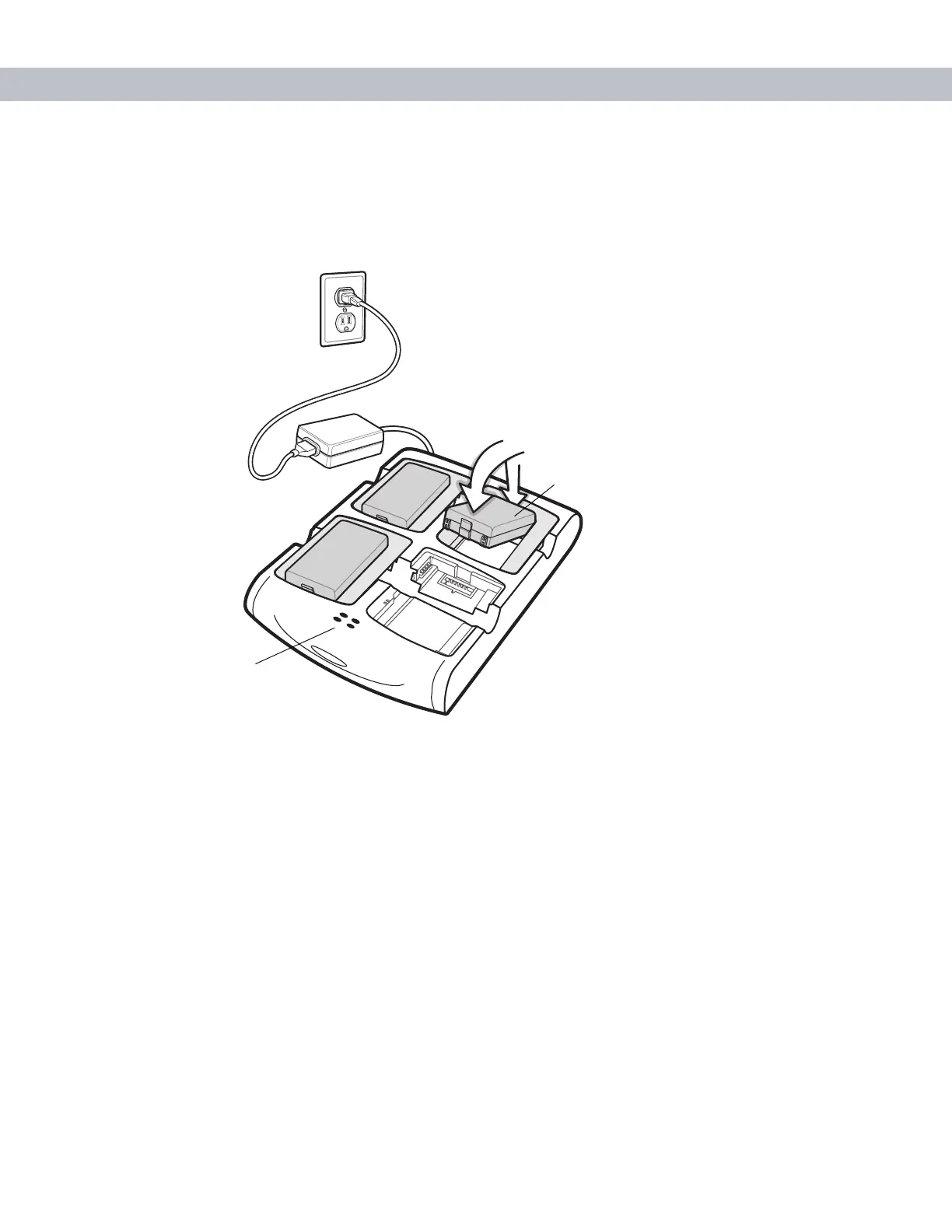
Spare Battery Charging
1. Connect the charger to a power source.
2. Insert the spare battery into a spare battery charging well and gently press down on the battery to ensure
proper contact.
Figure 5-11
Four Slot Spare Battery Charger
Battery Charging Indicators
The charger has an amber LED for each battery charging well. See Table 5-3 for charging status indications.
The standard battery fully charges in approximately 2.5 hours and the extended capacity battery fully charges
in approximately six hours.
Charging Temperature
Charge batteries in temperatures from 0
o
C to 40
o
C (32°F to 104°F). Note that at temperatures above 35
o
C,
charging is intelligently controlled by the charger in order to ensure safe operation and optimize long-term
battery life.
To accomplish this, for small periods of time, the charger alternately enables and disables battery charging to
keep the battery at acceptable temperatures. The charger indicates when charging is disabled due to abnormal
temperatures via its LED. See Table 5-3.
Spare Battery
Charging LEDs (4)
Spare Battery



 To Next Page