1 - 4 MC70 User Guide
Getting Started
To start using the EDA for the first time:
•
Install the main battery and cover assembly.
•
Charge the EDA.
•
Power on the EDA.
•
Configure the EDA.
Installing and Removing the Main Battery
Installing the Main Battery
Before using the EDA, install a lithium-ion battery. The standard capacity 1900 mAh battery is shown. The
extended capacity 3800 mAh battery requires a larger capacity battery cover.
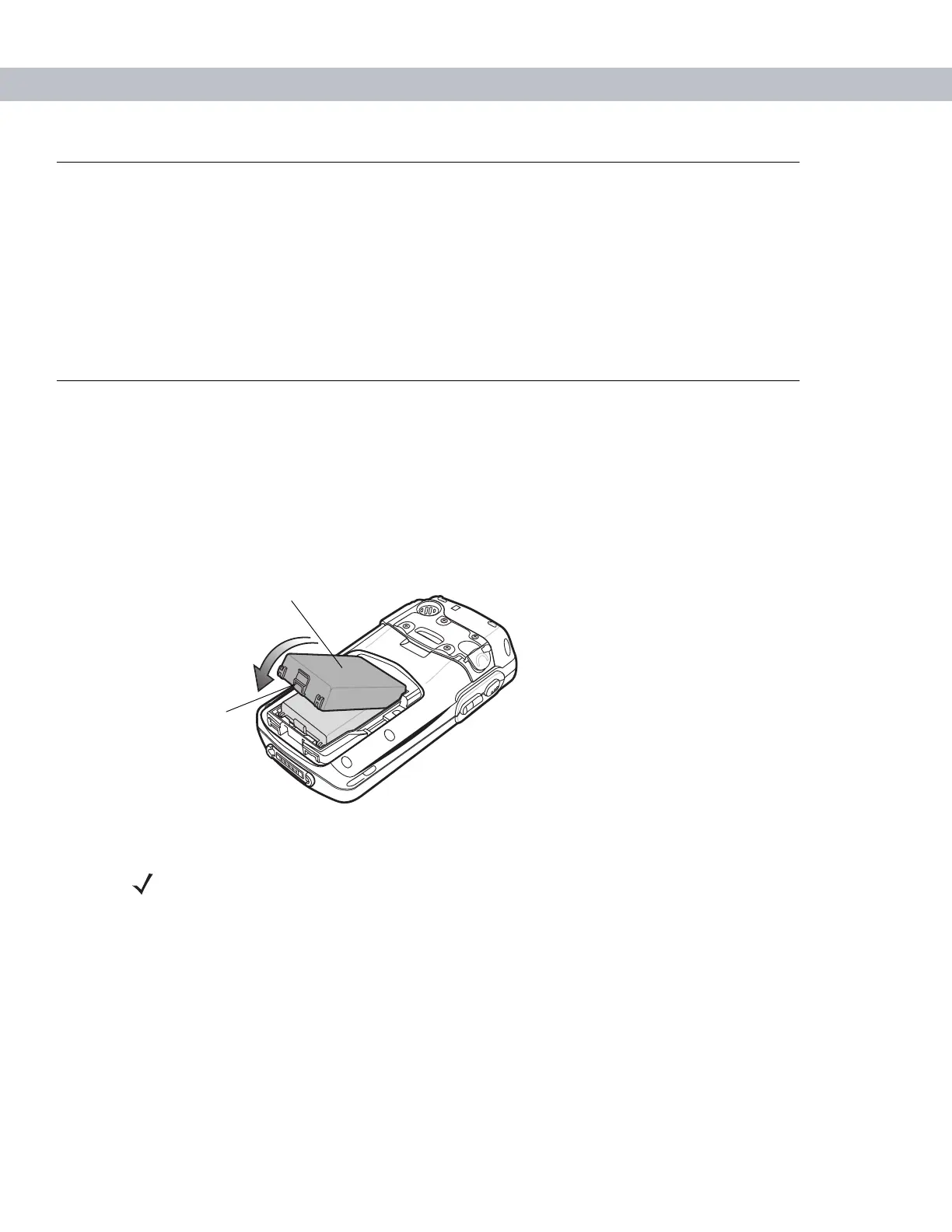
1. Insert the battery, top first, into the battery compartment in the back of the EDA.
2. Press the battery down into the battery compartment until the battery release latch snaps into place.
Figure 1-3
Inserting the Battery
Battery
Release Latch
NOTE Position the battery correctly, with the battery charging contacts on top of the charging
contacts in the battery compartment.



 To Next Page