Using the MC70 2 - 3
The command bar at the bottom of the screen can contain the task tray icons listed in Table 2-2.
Speaker Icon
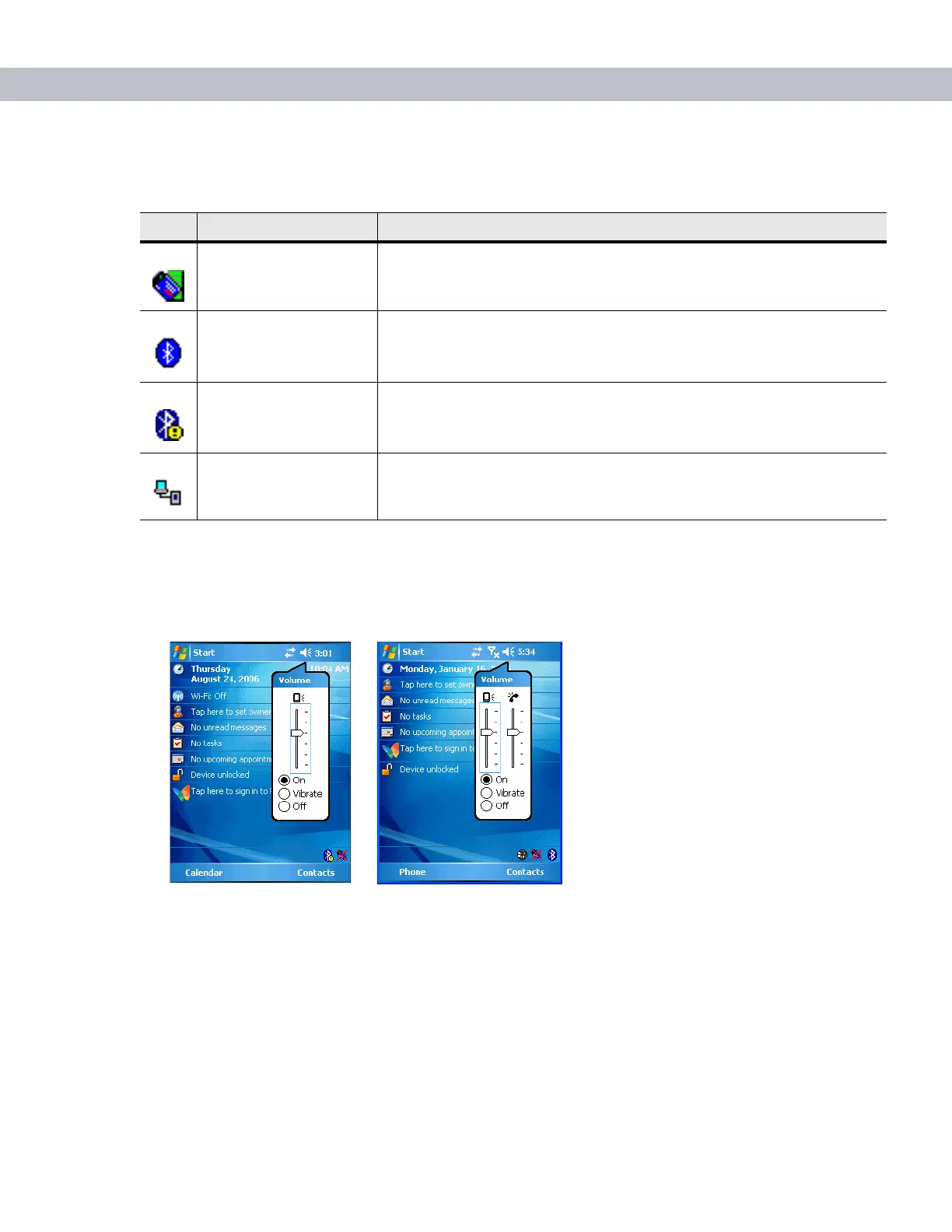
To adjust the system volume using the Speaker icon in the navigation bar:
1. Tap the Speaker icon. The Volume dialog box appears.
Figure 2-1
Volume Dialog Box
2. Tap and move the slide bar to adjust the volume.
3. Select the On or Off radio button to turn the volume on or off.
You can also adjust the system volume using the Sounds & Notifications window, or use the Up/Down button
on the side of the EDA.
Table 2-2
Task Tray Icons
Icon Description
Wireless connection
status
Indicates WLAN signal strength.
Bluetooth Enabled Bluetooth radio is on.
Bluetooth Disabled Bluetooth radio is off.
ActiveSync Active connection between the EDA and the development PC.



 To Next Page