5 - 14 MC70 User Guide
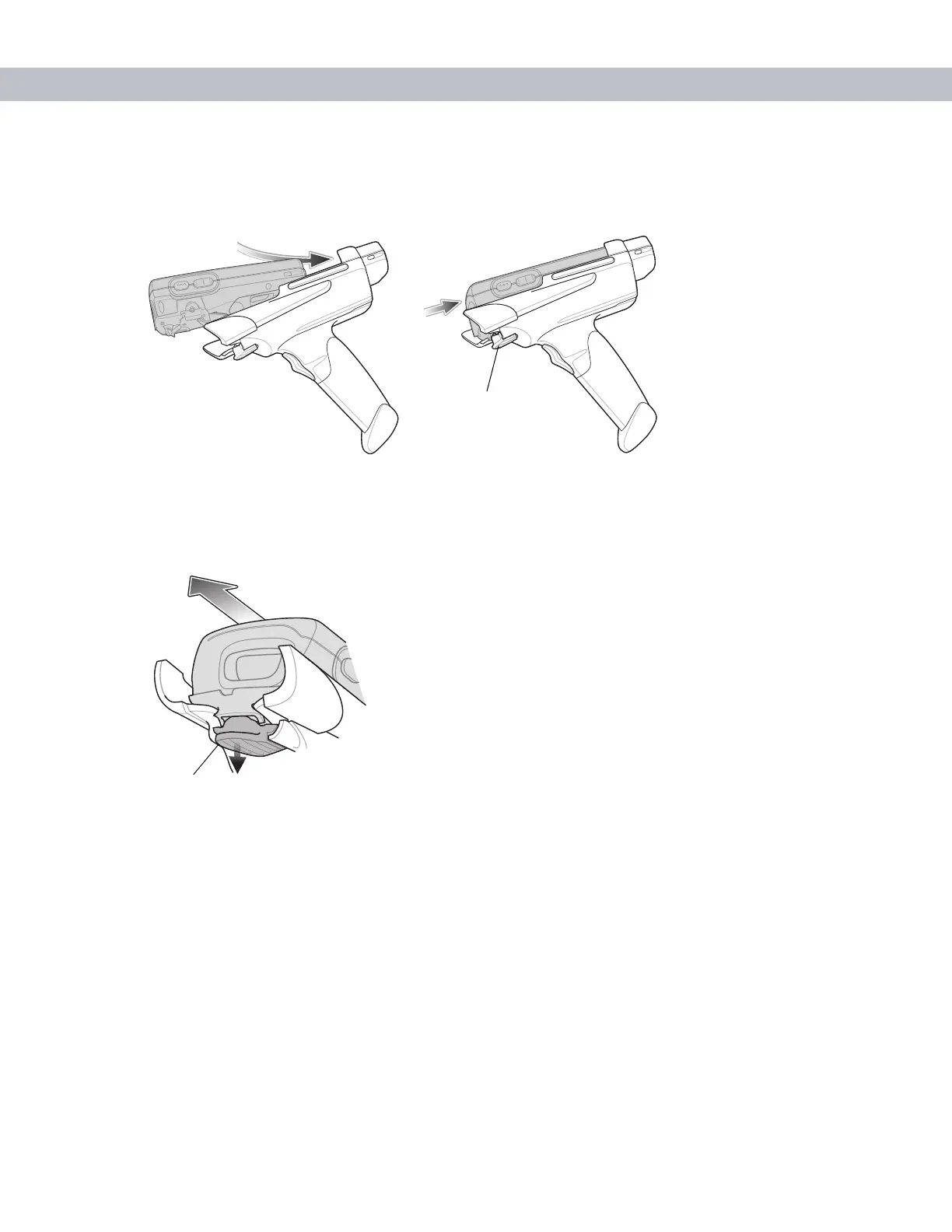
Inserting the EDA into the Trigger Handle
Slide the EDA into the Trigger Handle until it locks in place. The release secures the EDA to the Trigger
Handle.
Figure 5-14
Inserting the EDA into the Trigger Handle
Removing the EDA
To remove the EDA, press the release down and pull the EDA forward.
Figure 5-15
Removing the EDA
Scanning
To scan bar codes:
1. Start the EDA’s scanning application.
2. Aim the EDA at the bar code.
Release
Release



 To Next Page