Getting Started 1 - 5
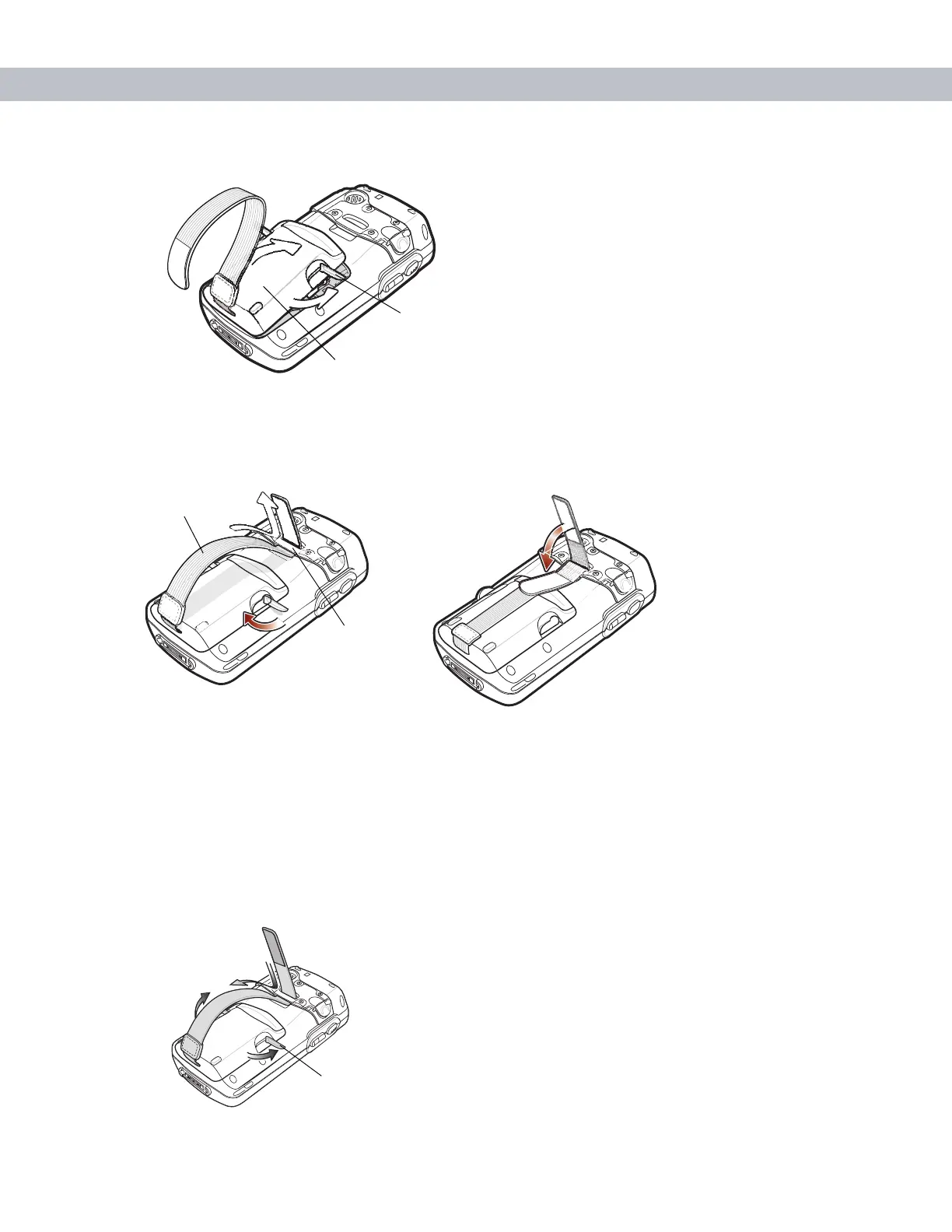
3. With the battery cover latches open, insert the cover, bottom first, then press down on the top of the cover.
Figure 1-4
Inserting the Battery Cover
4. Close the battery cover latches on either side of the battery cover.
5. Insert the handstrap through the handstrap slot, then tighten and press down to secure.
Figure 1-5
Inserting the Handstrap
The EDA powers up after inserting the battery.
Removing the Main Battery
1. Press the red Power button to suspend the EDA.
2. Loosen the handstrap at the top of the EDA.
3. Open the battery cover latches on either side of the battery cover.
Figure 1-6
Opening the Battery Cover Latches
Battery Cover
Battery Cover Latch
Handstrap Slot
Handstrap
Battery Cover Latch



 To Next Page