Synology DiskStation User's Guide
Based on DSM 3.1
120 Chapter 10: Host Websites, Email Server, and Print Server
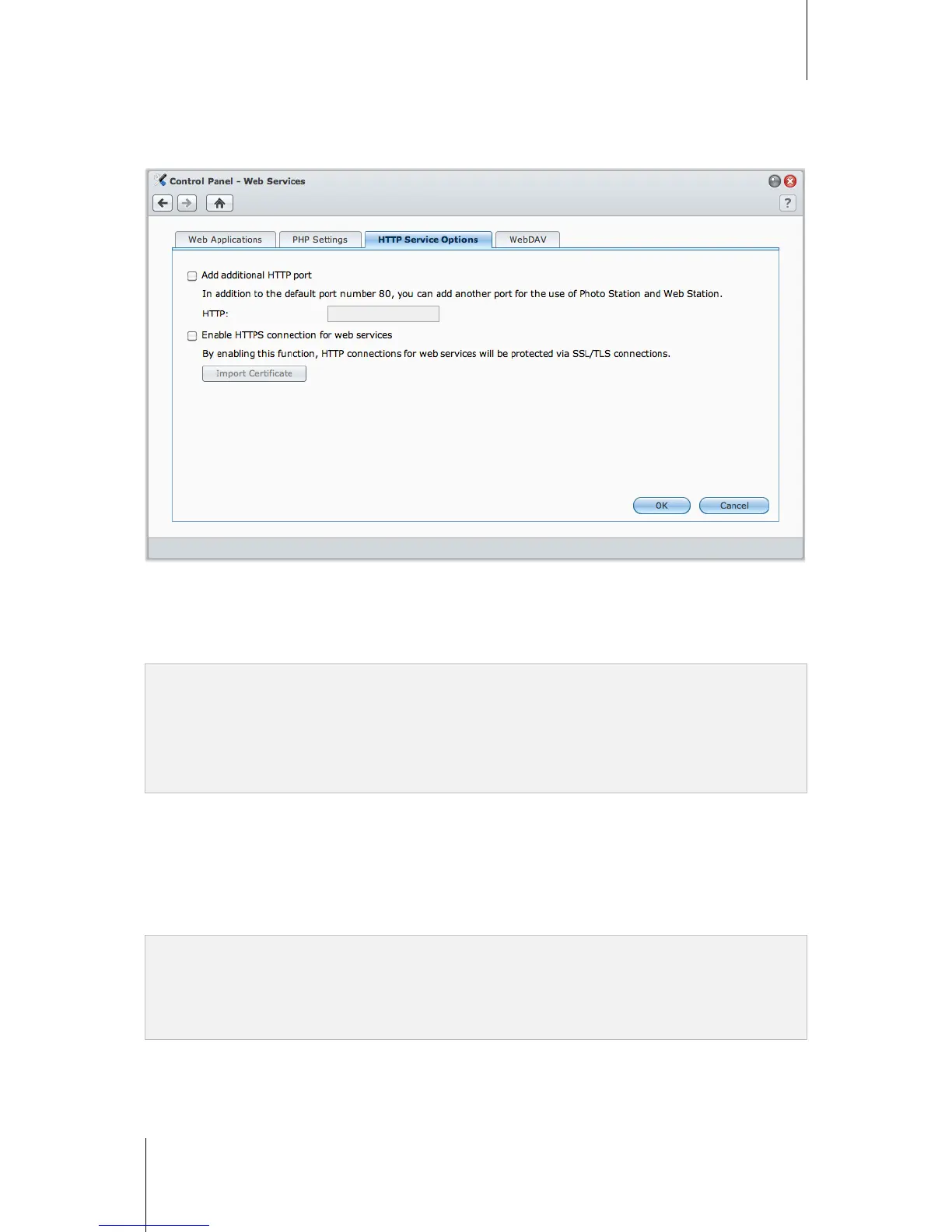
Modify HTTP Service Options
Click the HTTP Service Options tab at Control Panel > Web Services. In addition to the default port number 80,
you can add another port for the use of Photo Station and Web Station.
To add an additional HTTP port:
1 Tick Add additional HTTP port.
2 Enter any port number between 1 and 65535 in the Enter the port number field.
3 Click OK.
Important: You cannot use the following port numbers for HTTP access, because they are reserved for system use.
Port number: 20, 21, 22, 23, 25, 110, 137, 138, 139, 143, 199, 443, 445, 515, 543, 548, 587, 873, 993, 995, 3306,
3689, 5335, 5432, 8080, 8081, 9997, 9998, 9999, 50001, 50002
FTP port range: 55536-55663
BitTorrent port range: 6881-6890
Surveillance Station port range: 55736-55863
To enable HTTPS connection for Web Station and Photo Station:
1 Tick Enable web HTTPS connection.
2 Click the optional Import Certificate.
3 Click OK.
By enabling this function, HTTP connections to Web Station and Photo Station will be protected with SSL/TLS
encrypting mechanism.
Note:
For more information about importing certificate and enabling HTTPS connection for other services, see "HTTP
Service Options" on Page 26.
For more information about Photo Station, see "Chapter 11: Share Photos, Videos, and Blogs with Photo Station"
on Page 129.



 To Next Page