Synology DiskStation User's Guide
Based on DSM 3.1
17 Chapter 2: Get Started with Synology DiskStation Manager
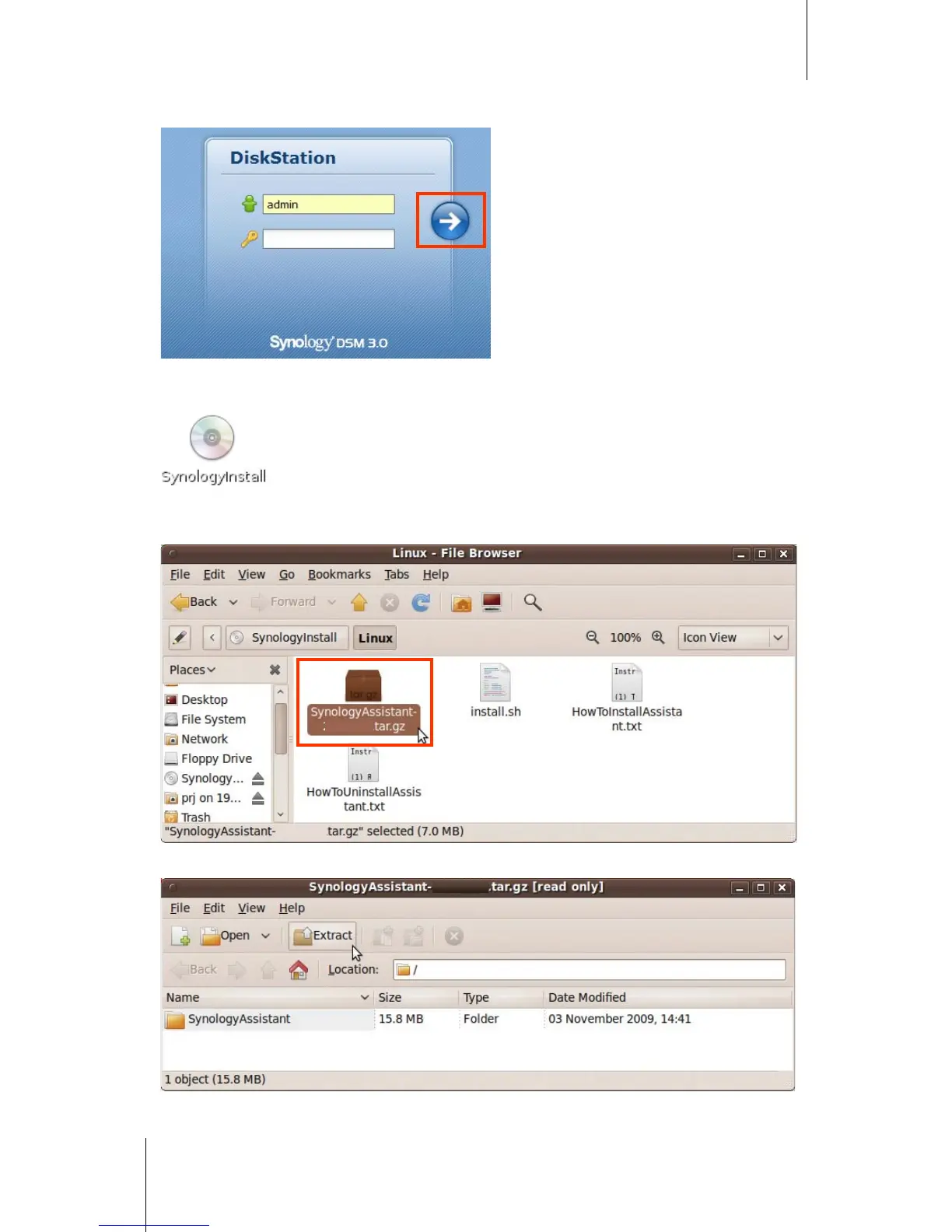
6 Enter your user name and password, and click Login. The default password for admin is empty.
Linux (Ubuntu) User:
1 Insert the installation CD into your computer, and then double-click the SynologyInstall icon on the desktop.
2 In the File Browser window that appears, double-click the Linux folder, and then double-click Synology
Assistant-3.1-[number].tar.gz.
3 Click Extract, and then extract the SynologyAssistant directory to the path /usr/local or any other path.






 To Next Page