
 Need help?
Do you have a question about the Systech GASPACE 6000 and is the answer not in the manual?
Critical safety warnings and operational advice for using the analyzer.
Verifying package contents upon delivery to ensure all items are present.
Overview of available instrument options and accessories.
Details on power source, voltage compatibility, and frequency.
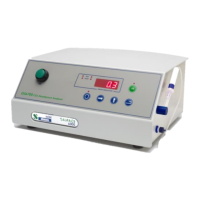
Description of physical controls, buttons, and display elements.
Step-by-step guide for initial instrument startup.
How to access and use the instrument's menu system and parameters.
Detailed menu structure and parameters for the GS6600 model.
Detailed menu structure and parameters for the GS6500 model.
Detailed menu structure and parameters for the GS6700 model.
Procedure to change access passwords for menu pages.
How to configure the instrument's current time (HHMM format).
How to configure the instrument's current date (DD/MM or MM/DD format).
How to configure the instrument's current year (YYYY format).
Setting up audible and visual alarm notifications for O2/CO2.
Defining specific concentration thresholds for gas alarms.
Configuring alarm triggers as low or high relative to set levels.
Choosing between Timed, Peak/Valley, and Autosense test methods.
Guidelines for setting test duration in Timed mode.
Understanding Peak/Valley measurement results for O2/CO2.
Using automated test sequencing for multiple samples.
Step-by-step instructions for performing a sample test.
Alternative sampling and testing techniques.
Using a syringe for sample introduction into the analyzer.
Procedures for sampling headspace in hard-to-penetrate containers.
Importance, types, and replacement of internal filters.
Standard calibration procedure using atmospheric air.
Using calibration gases for enhanced accuracy.
Specific steps for calibrating oxygen levels using gas.
Specific steps for calibrating CO2 levels using gas.
Guide to installing necessary PC drivers for USB connection.
Steps to install the communication software on a PC.
Locating the analyzer's assigned COM port in Device Manager.
Launching and operating the communication software for data transfer.
Reference for instrument commands via USB connection.
Configuring date and time formats for printed reports.
Customizing reports with product information and codes.
Setting custom header text for printed reports.
Adding product line details to printed reports.
Selecting product codes for reporting.
Associating specific descriptions with product codes.
Details on the structure and content of test result printouts.
Details on the structure and content of calibration reports.
Details on the structure of analyzer status reports.
List of commonly replaced parts and their part numbers.
List of optional accessories and calibration kits.
 General
| Brand | Systech |
|---|---|
| Model | GASPACE 6000 |
| Category | Measuring Instruments |
| Language | English |

 To Next Page