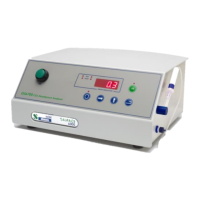
Gaspace 6000 Operations Manual v1.4
3.3.1 GS6600 Menu System
When navigating through the menus, the right-hand display will flash the parameter name followed by
its value.
Selects which product code and its corresponding description will be
printed. The user may enter up to 9 product codes (1 through 9).
Shows the current temperature of the internal zirconia probe furnace
(This parameter is ‘read-only’).
Selects the menu page. Page 1 or 2 parameters may be password
protected. The factory default password is 1234.
Page 1 (optionally password protected. Default password is 1234)
Sets the duration of a timed test in seconds (1 to 200).
Sets the delay time between tests for Autosense in seconds. 0=disable
Autosense, 1=Continuous mode, >1=delay time up to 200 seconds.
Sets the Peak/Valley measurement mode for CO
2
/O
2
with the first digit
corresponding to CO
2
and the second digit corresponding to O
2
. 0=disable
Peak/Valley, 1=Peak, 2=Valley i.e. “12” will set the Peak for CO
2
and
Valley for O
2
.
Sets the alarm option.
0=alarm disabled, 1=alarm enabled.
Sets the value at which the oxygen alarm will be triggered (0 to 100). This
will not be shown if the alarms are disabled (“ALEn” or Alarm Enable set to
“0”).
Sets the value at which the carbon dioxide alarm will be triggered (0 to
100). This will not be shown if the alarms are disabled (“ALEn” or Alarm
Enable set to “0”).
Sets the oxygen alarm polarity. 0=low alarm, 1=high alarm. This will not
be shown if the alarms are disabled (“ALEn” or Alarm Enable set to “0”).
Sets the carbon dioxide alarm polarity. 0=low alarm, 1=high alarm. This
will not be shown if the alarms are disabled (“ALEn” or Alarm Enable set to
“0”).
Selects the menu page. Page 0 should be selected to return to the
measurement mode. Page 2 parameters are password protected. The
factory default password is 1234.
Page 2 (password protected. Default password is 1234)
Selects whether a password is requested to access menu page 1. 0 is
disabled, 1 is enabled.
Sets the password to access the Page 1 menu.
Sets the password to access the Page 2 menu.
Sets the percent concentration of oxygen for calibration using certified gas
(1% to 10% or 30% to 100%).
Sets the percent concentration of carbon dioxide for calibration using
certified gas (15% to 100%).


 To Next Page
 Loading...