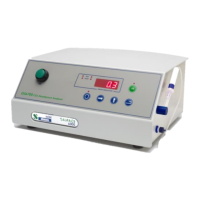
Gaspace 6000 Operations Manual v1.4
Changing the program codes to configure parameters is simple. There are three pages of information.
Page 0 contains all the parameters that a test operator may want to use frequently such as changing
Product Code.
Page 1 contains all test configuration parameters which can be (optionally) password protected. The
factory default is password protection disabled. The default password is 1234.
Page 2 parameters are those which are used to configure instrument options that do not need to
accessed frequently. Page 2 parameters are always password protected. The factory default password
is 1234.
To access the parameters in Page 0 press the ‘Menu’ button:
The LED above it will light and the display will
briefly read “Prod” then indicate the current Product
Code. Press the ‘Menu’ button to cycle through
options until the display will read “PA9E” (Page)
briefly then display “0” to indicate you are on Page
0. Available parameters depend on the instrument
model and its configuration.
Every time the ‘Menu’ button is pressed a new parameter will be displayed briefly followed by the value
for that parameter. Note: some parameters are read only.
Continual pressing of the ‘Menu’ button when on Page 0 will eventually show “– O2
–” (for GS6600
and GS6500) or “CO
2
” (for GS6700) and this signals the end of the Programming mode and the
instrument is returned to the measurement mode (shown below is GS6500 display).
To access the parameters in Page 1 or 2, follow the steps below:
Press the ‘Menu’ button 3
times
The display will briefly read “PA9E” (Page) then
“0” (to indicate you are on page 0).
Now press ‘Digit Select’ button
Now press the ‘Digit
Increment’ button
The display will change from “0” to “1”.


 To Next Page
 Loading...