I/NET Configuration NetPlus Router Configuration
I/NET 2000 Getting Started 4-23
3. If the NetPlus Router is not currently connected, make sure
the
Online option is deactivated (#). In this case, you will
use the configuration files stored on disk (.NPR files) and
the new configuration must later be downloaded to the NPR
before it takes effect. Refer to “Restoring Configurations” on
page 4-27.
If you are not online, the configuration filenames are listed.
4. Select the desired NetPlus Router, or its corresponding file-
name, and click
Modify.
5. If a password has been assigned, you will be prompted to
enter the password. Enter it and click
OK.
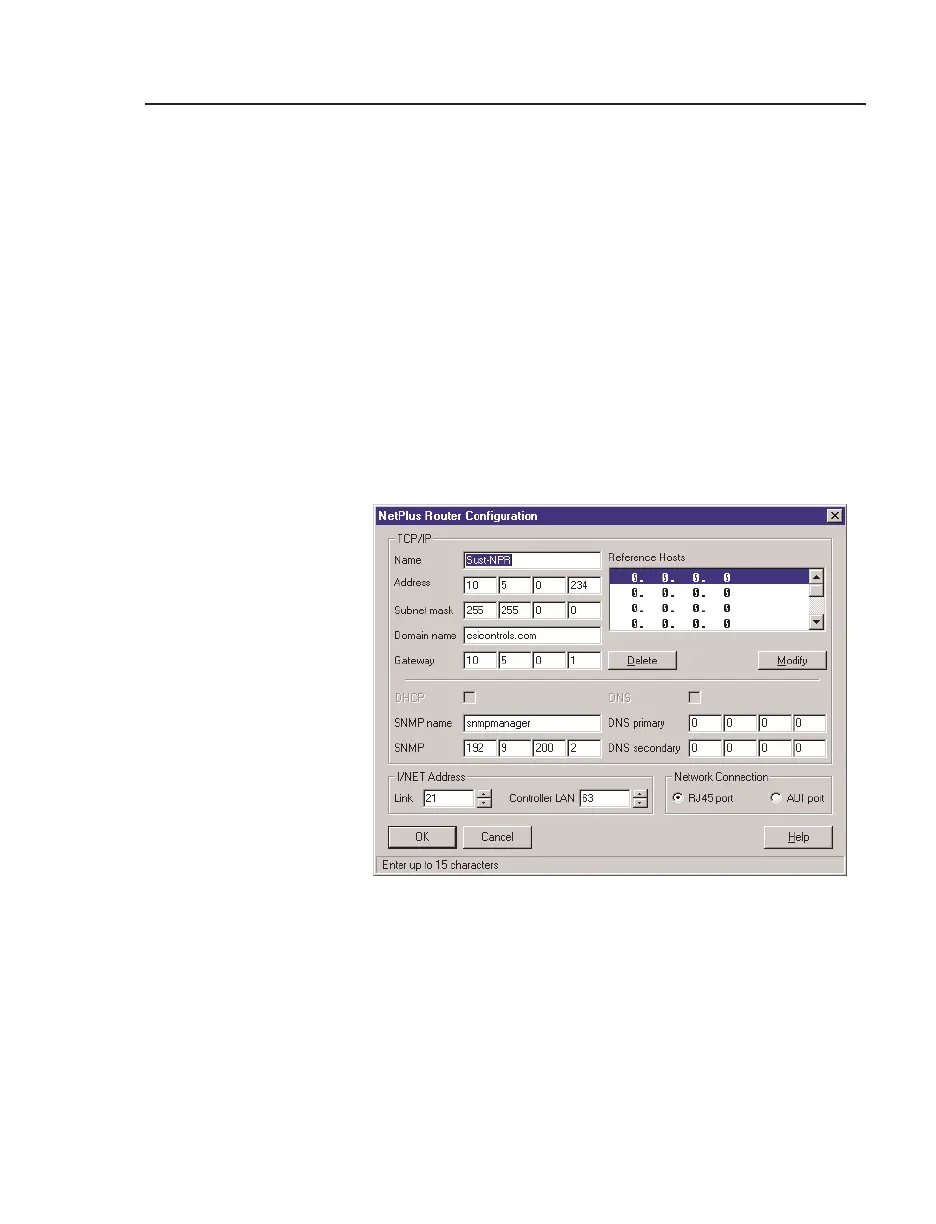
The NetPlus Router Configuration editor displays.
Configuring a NetPlus Router
Prior to configuring the NetPlus Router, you may need to obtain
the following information from your network system adminis-
trator:
✦ NetPlus Router IP Address
Figure 4-16. Net Plus Router Configuration Editor



 To Next Page