I/NET Configuration Host Routing Masks
I/NET 2000 Getting Started 4-19
To start the editor, select Host Masks from the I/NET Configura-
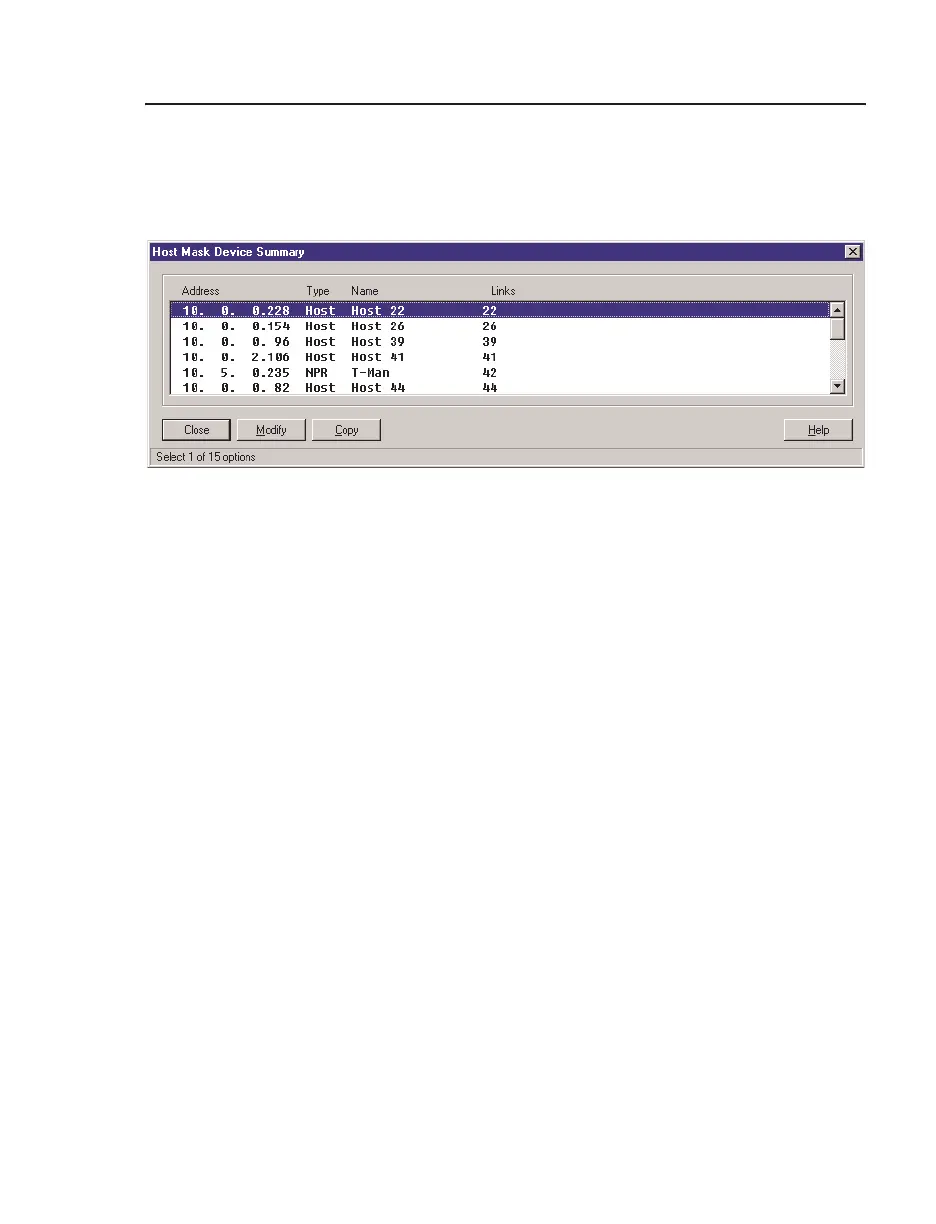
tion Profiles editor. The Host Mask Device Summary, shown in
Figure 4-12, displays. This summary lists the TCP/IP addresses and
names of the remote hosts and NPRs that are available within your
I/NET system. If this list is empty, you may need to define one or
more Reference Hosts. (Refer to Step 3 on page 4-10) By default,
your host workstation will not receive messages from any remote
hosts.
Defining Host Masks
To define host masks:
1. Select the remote host from the list box and double-click, or
click
Modify. The Host Routing Mask editor (Figure 4-13)
displays.
The Times section establishes the periods that the host
workstation will be attended by an operator. Attended speci-
fies the masking requirements for the host during the
attended times. Unattended specifies the masking require-
ments during the period when the host is not attended.
Note: The Unattended function is not currently available.
2. Specify the Attended hours for this host in the Times
section. Enter the hours in 24-hour format for each day of
the week.
Figure 4-12. Host Mask Device Summary



 To Next Page