FY operation manual 24
9. Basic Function Setting
9.1 Changing Input Type
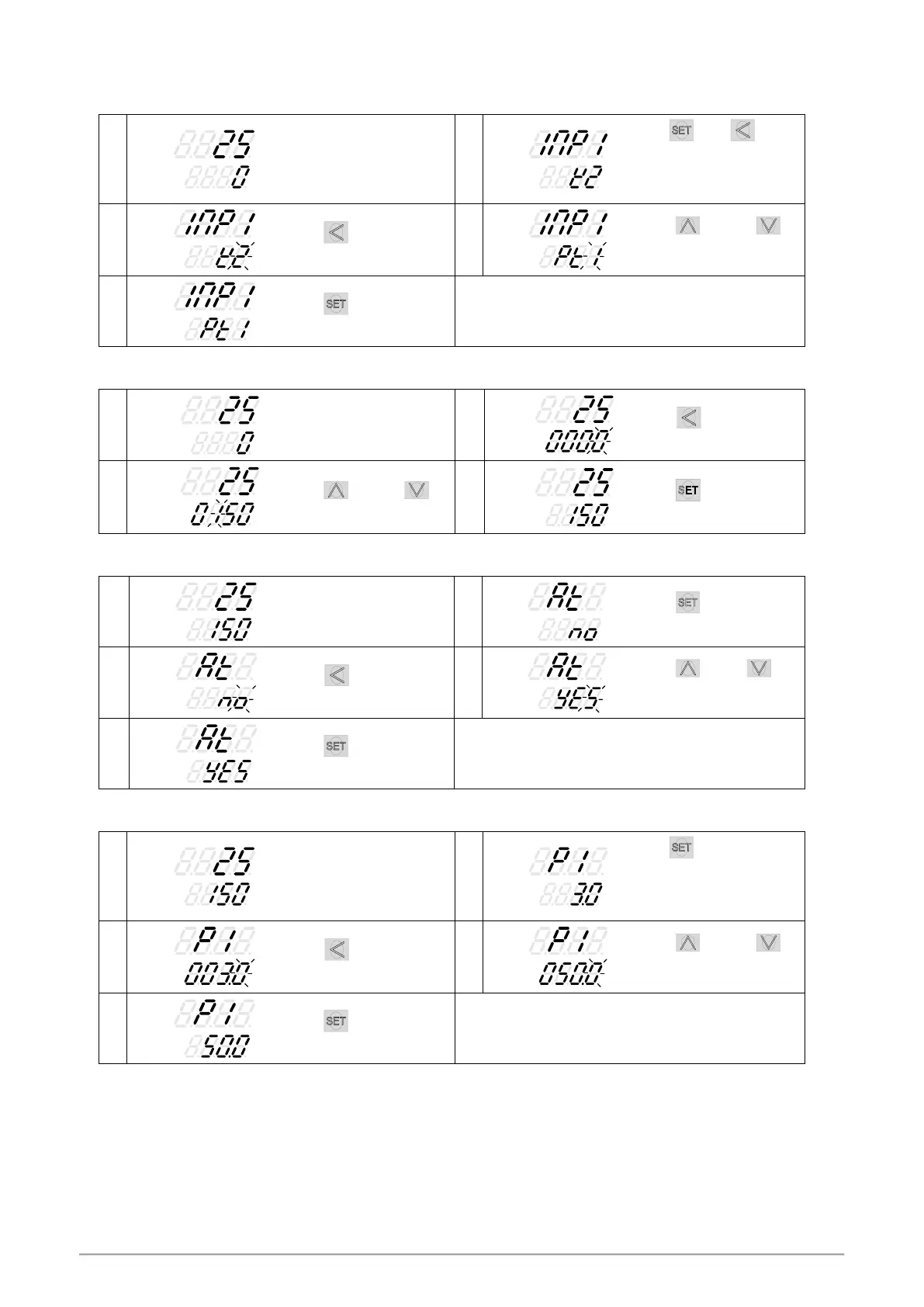
Hold key + key 3
seconds, to enter LEVEL_3
upper display showing
“INP1” with lower display
showing current input type.
Press key the lower
display flashes.
Press
key and
key to enter the intended
input type.
Press key to store new
value of INP1.
Modify input type needs to interchange of jumper location,
and it needs to recalibration for linear input type change.
Please refer to chapter 15. “Input type modification”.
9.2 SV Setting
When key is pressed,
the lower display flashes.
Press key and
key to adjust set value.
Press key to store
new value of SV.
9.3 Setting PID Values Automatically(Autotuning)
Press key until show
“AT”
。
When key is pressed,
the lower display flashes.
Press key or
key to select auto-tuning
execution or not.
Press key to store new
value of AT.
When auto-tuning AT LED lamp lit and start to output,
through a few circles to get new PID value with the precise
control, if finished the AT LED will be lamp off.
9.4 Setting PID Values Manually
Hold key 3 seconds,
then entering into LEVEL_2
upper display showing “P1”,
with lower display show
current P1 value.
When key is pressed,
the lower display flashes.
Press key and
key to set the intended P1
value.
Press key to store new
value of P1.
By the same procedure, use the same ways to set integral
time(I1) and derivative time(D1).



 To Next Page
 Loading...