Tally Dascom 1145/1125+
3
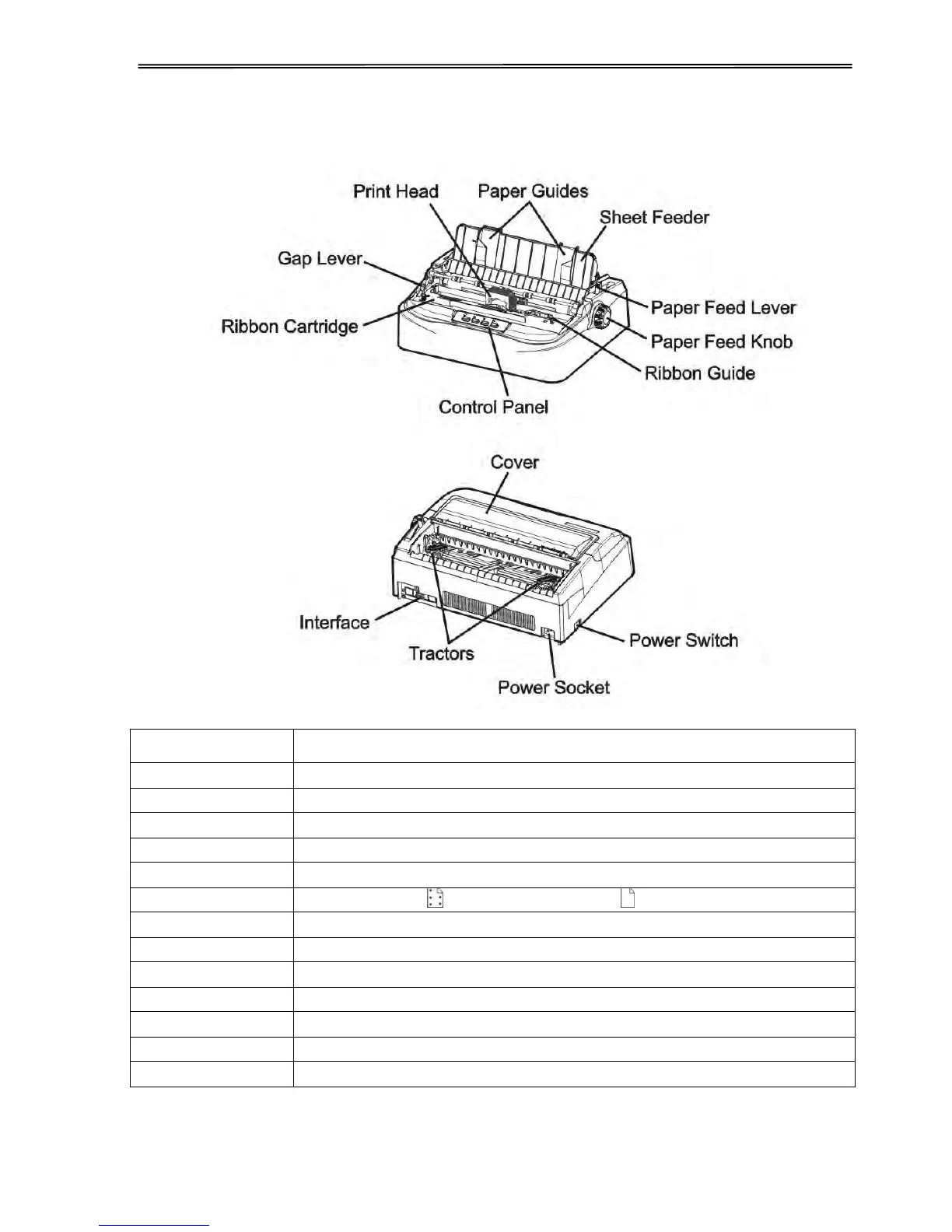
1.3 Printer Components
Adjusts the print gap lever according to the thickness of paper
Adjusts positioning of single sheet paper
Protects print head and other components inside, and reduce noise
Shows printer status, for printer setup
Two positions: = continuous forms; = single sheet paper
Manual feed or vertical positioning of paper
Install ribbon in the printer
For guiding ribbon installation on print head
For feeding and adjustment of continuous forms
Connects power cord to the printer
Connects interface cables from the host



 To Next Page