Tally Dascom 1145/1125+
23
5 Printer Setting Changes
In order to meet specific print requirements, the printer configurations may be changed as
follows: Hold down the Load/Eject key while powering on the printer and then release the key
when the print head starts to move. The printer will enter Main Menu setup state. Follow the
instructions printed on how to make setting changes. When a new setting is saved, it is
retained after the printer has been powered off.
The Printer Settings menu contains 8 sub-menus: System Setup, Paper Setup, Interface
Setup, Character Setup, Other Setup, Bi-directional Alignment, BlackMark Mode, Restore
Facotry Defaults.
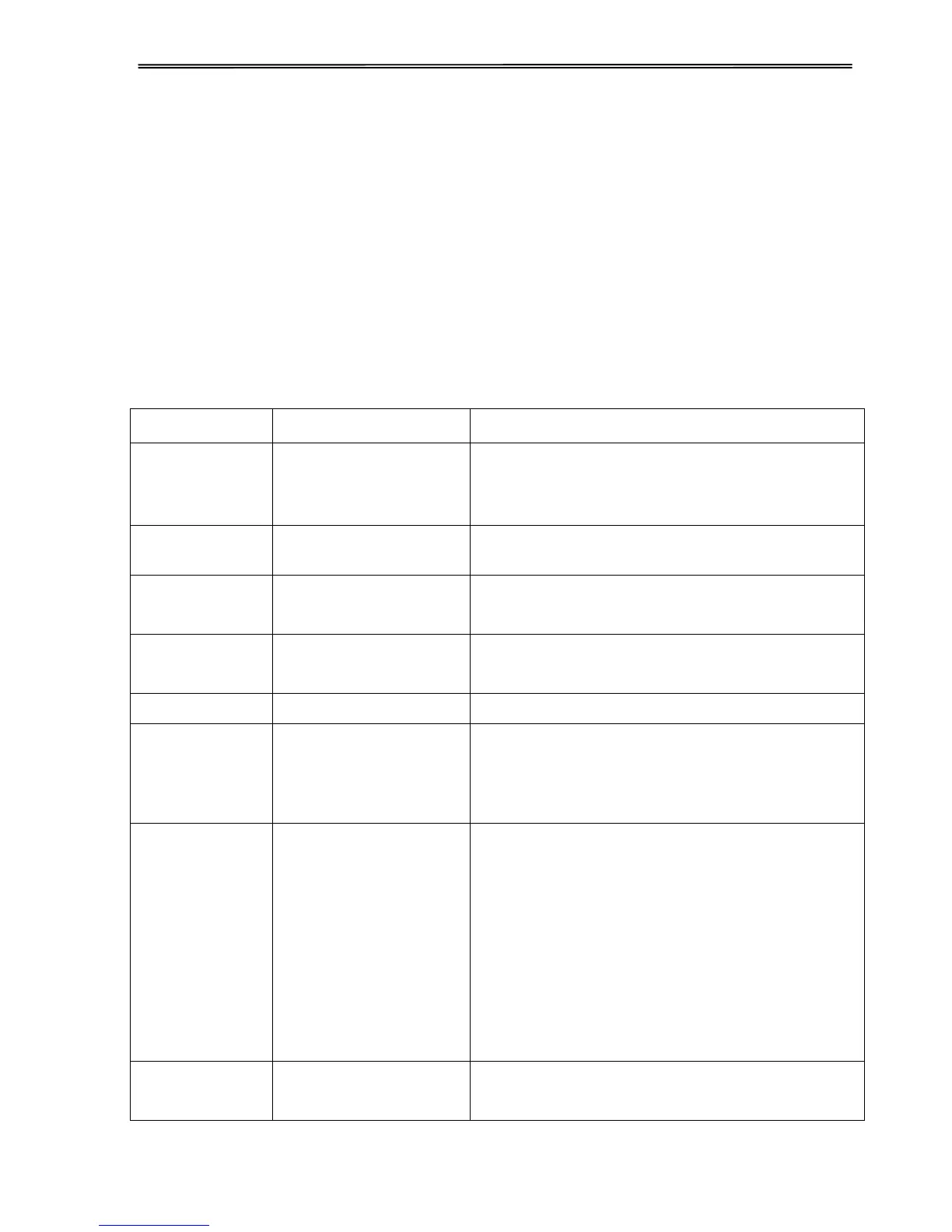
5.1 System Setup
English, Deutsch,
Poccия, Italiano,
Français, Español,
Türkçe, Português
Allows user to select one of the following
languages: English, German, Russian, Italian,
French, Spanish and Turkish, Portuguese
Selects the printer emulation. This should be the
same as the host printer driver.
Yes: LF = LF+CR; No: LF = LF
(Applies to ESC/P2 emulation only)
Yes: LF = LF+CR; No: LF = LF
(Applies to IBM emulation only)
Yes: CR = CR+LF; No: CR = CR
Bi-Dir: Graphics and text are printed in both
directions, resulting in faster printing speed.
Uni-Dir: Graphics and text are printed from left
to right, resulting in higher precision.
Disable, Enabled,
Dashed, NoPrint
Disable: Grids in block graphics are disjoint, but
grids by graphics commands or slanted grids
(block graphics) are not affected.
Enabled: Vertical grids are continuous in all line
spacing.
Dashed: Horizontal grids are printed in dotted
lines and vertical grids are not affected.
NoPrint: Grids are not printed. But nested grids
(by graphical commands) above 2 levels deep
are printed.
0: No-slashed Zero 0.
Ø: Slashed Zero Ø.



 To Next Page