Car mount
18 English
Introduction
2.6.3 Write-Protection
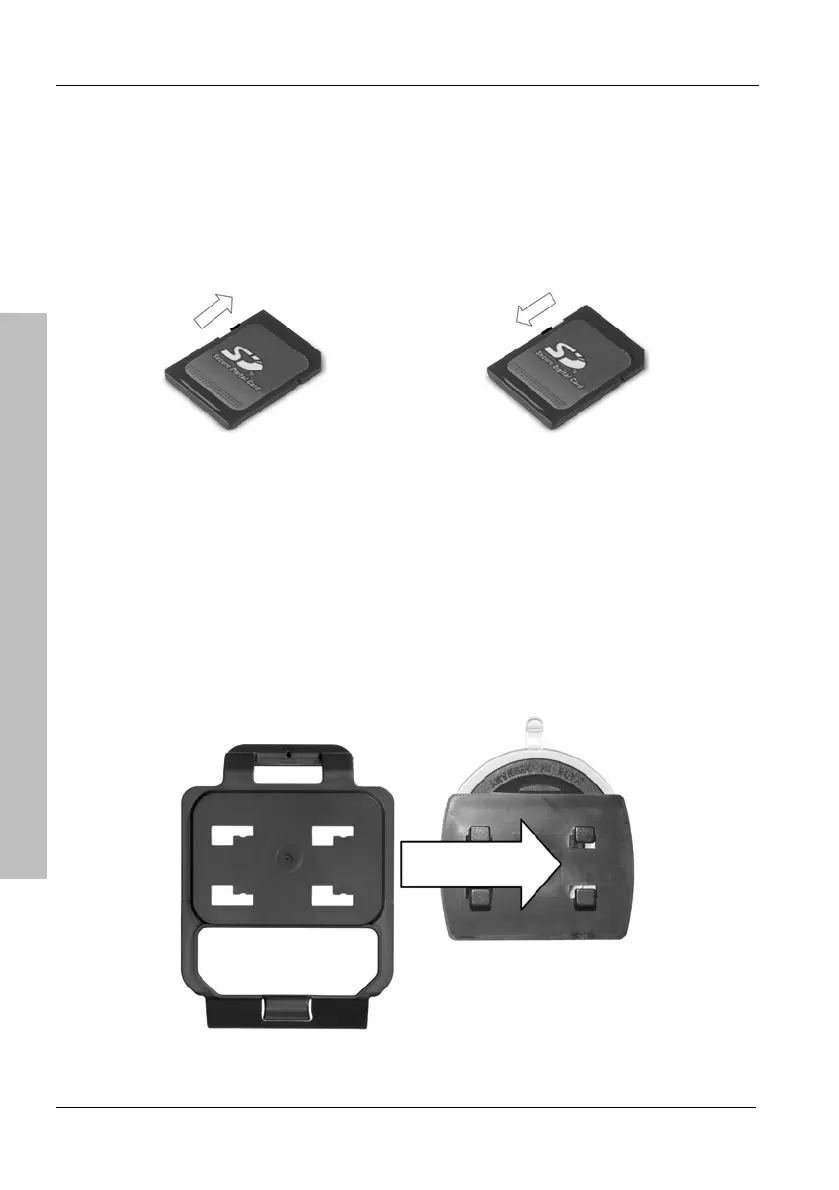
SD cards have a write-protection tab that you can use to enable and disable
write protection. MMC memory cards do not feature any write-protection tab.
With write protection enabled any data stored on the memory card cannot be
deleted, moved nor renamed: it can only be read.
Write protection disabled Write protection enabled
2.7 Car mount
To install the navigation device on its car mount, first install the supplied
adapter plate [page 11, item 2] on the car mount.
Then press the suction pad of the car mount against the windshield and fix it
by turning the lock.



 To Next Page