Map Options
Navigation Device PNA-E3530 51
Navigation
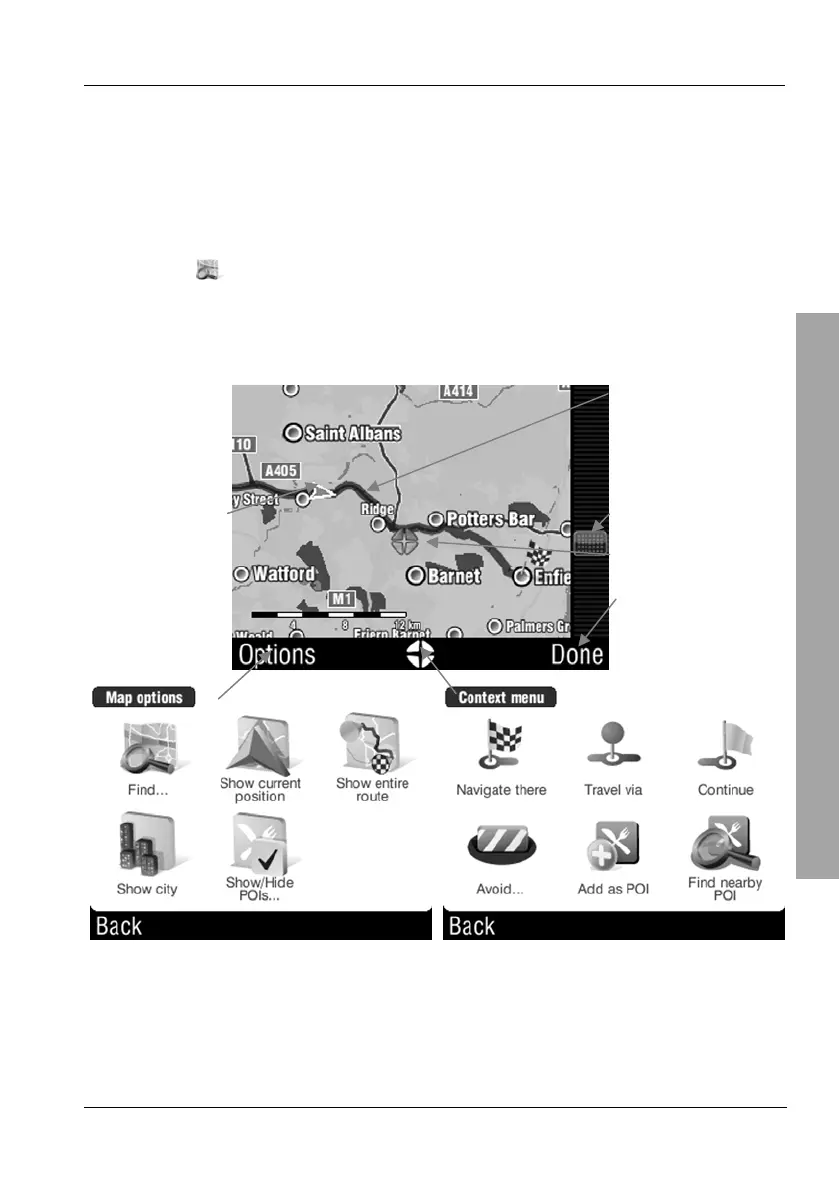
3.6.5 Browse map
Browse map lets you easily display or edit a route, plan a new route or include
POIs (Points of Interest).
Tap on the display to open the GPS main menu.
Tap
Browse map.
The present position will appear on a map. If there is already a
programmed route, this route will also be displayed.
Route
Current position Zoom slider
Position mark
Return to navigation
Options for Browse map
(Description on page 52)
Options for position mark
(Description on page 53)



 To Next Page